In short
Some of your users can't see the screen, some use only a keyboard. Accessibility means they can still use your site. ARIA helps, but only when plain HTML can't.
Accessibility means people using keyboards, screen readers or other aids can use your site. Good HTML does most of the work, and ARIA attributes fill gaps when native elements aren't enough.
Think of it like this
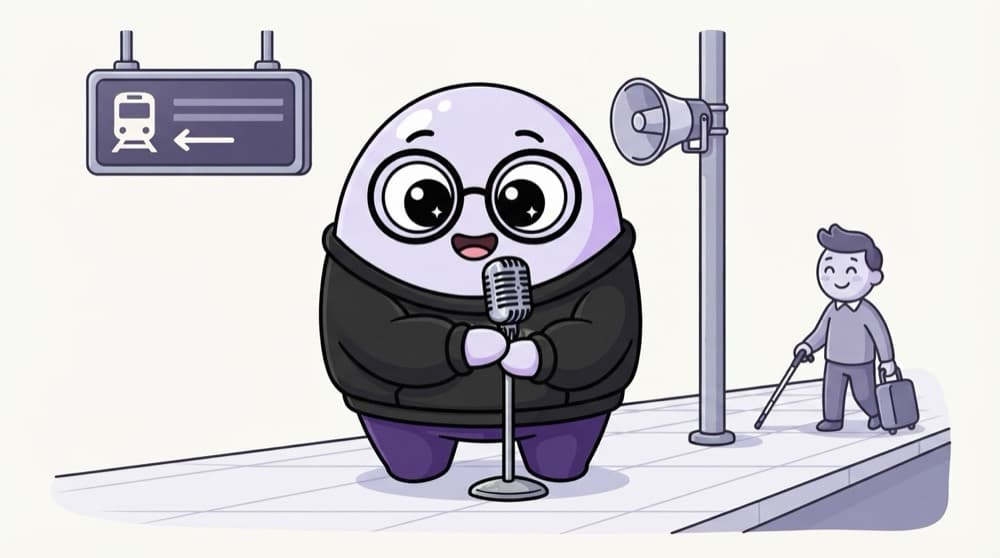
Station announcements
At a railway station, the board shows the platform and the speaker announces it too. Nobody gets left out. ARIA is the announcement layer: extra labels and states that screen readers speak out when the visuals alone aren't enough.
Watch it happen
What a screen reader hears
Tab
1/5Focus lands on the icon-only menu button.
The big ideas
What you need to know
Native HTML first
A real <button> is focusable, clickable with Enter and Space, and announced as a button. A <div> needs lots of extra work.
aria-label names things
An icon-only button, like a magnifier for search, has no text. aria-label="Search" gives it a name screen readers can say.
Share state changes
aria-expanded, aria-pressed and aria-current tell users if a menu is open or which page they're on.
Live regions speak updates
aria-live="polite" makes a screen reader read out new text, like 'Added to cart', without moving focus.
See it in code
Walk through the code
1<!-- Icon-only button with a proper name -->2<button type="button" aria-label="Open menu"3 aria-expanded="false" aria-controls="main-menu">4 ☰5</button>6<ul id="main-menu" hidden>...</ul>7 8<!-- Current page in the nav -->9<a href="/courses" aria-current="page">Courses</a>10 11<!-- Updates that should be read out -->12<p aria-live="polite" id="cart-status"></p>13 14<!-- Decorative image, skip it -->15<img src="swirl.svg" alt="" />1/4aria-label names the icon button. aria-expanded and aria-controls say which menu it opens and whether it's open.
When JavaScript opens the menu, it should flip aria-expanded to true and remove hidden. An empty alt tells readers to skip a decorative image.
Save yourself the pain
Common mistakes
Oops
Adding role="button" to a <div> and calling it done.
Do this instead
The div still can't be focused or pressed with a keyboard. Just use <button>.
Oops
Removing the focus outline because it 'looks ugly'.
Do this instead
Keyboard users need it to see where they are. Restyle it with :focus-visible instead of deleting it.
Your mission
Use your site without a mouse
Quick check
You have a clickable bin icon to delete an item. What's the best markup?
Go deeper
- 1Navigate a page using only the Tab and Enter keys and note anything you can't reach.
- 2Run a Lighthouse accessibility audit and fix the top three issues.
- 3Learn the rule that no ARIA is better than wrong ARIA, and prefer native elements first.
More topics at this stop
 HTML Document Structure
 Headings, Paragraphs and Lists
 Links and Images
 Tables
 Forms
 Input Types
 Form Validation
 Semantic HTML
 Meta Tags and SEO Basics

Stuck on this topic? Ask an Insider
Get 1:1 guidance from people who've walked this exact path — on the InsideEdge app.
