AWS WAF & AWS Shield
Part of the AWS Roadmap
In short
The moment your app is public, bots start probing it for SQL injection, scraping prices and hammering the login page. AWS WAF filters bad requests, and AWS Shield protects against floods meant to knock you offline.
AWS WAF is a web application firewall that filters HTTP requests to CloudFront, ALB, API Gateway and other resources using rules, including managed rule groups for common attacks. AWS Shield Standard provides DDoS protection automatically, and Shield Advanced is a paid tier with extra protections and support.
Think of it like this
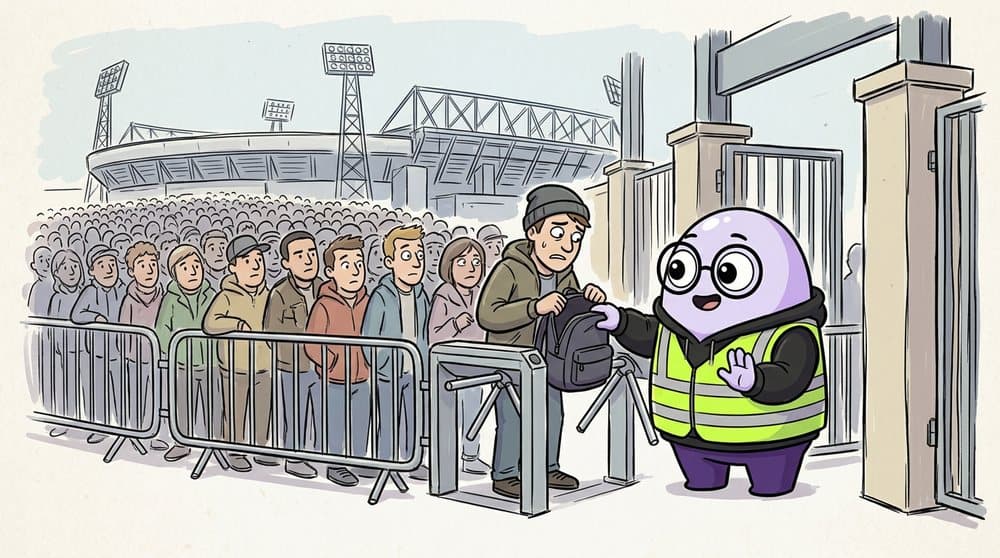
Stadium security on match day
At Eden Gardens on match day, gate staff check every bag for banned items and turn away anyone trying to enter twenty times in a minute. That's WAF, checking each request against rules. The police manage crowd surges on the roads outside so the gates aren't crushed. That's Shield, dealing with traffic floods before they reach you.
Watch it happen
A request meets the web ACL
1/5A request reaches CloudFront or the ALB.
The big ideas
What you need to know
Web ACLs and rules
A web ACL is a list of rules checked in priority order, each with an action: allow, block, count, CAPTCHA or challenge.
Managed rule groups
AWS and Marketplace sellers maintain rule sets for OWASP-style attacks, bad bots and known malicious IPs. Start with these.
Where it attaches
CloudFront, ALB, API Gateway REST APIs, AppSync, Cognito user pools and a few others. Not directly on EC2 instances.
Shield Standard vs Advanced
Standard is automatic and free for everyone. Advanced is a paid subscription adding enhanced detection, response team access and cost protection for scaling during attacks.
See it in code
Walk through the code
1[2 {3 "Name": "aws-common",4 "Priority": 0,5 "Statement": {6 "ManagedRuleGroupStatement": {7 "VendorName": "AWS",8 "Name": "AWSManagedRulesCommonRuleSet"9 }10 },11 "OverrideAction": { "None": {} },12 "VisibilityConfig": { "SampledRequestsEnabled": true, "CloudWatchMetricsEnabled": true, "MetricName": "aws-common" }13 },14 {15 "Name": "login-rate-limit",16 "Priority": 1,17 "Statement": {18 "RateBasedStatement": {19 "Limit": 100,20 "AggregateKeyType": "IP",21 "ScopeDownStatement": {22 "ByteMatchStatement": {23 "SearchString": "/login",24 "FieldToMatch": { "UriPath": {} },25 "TextTransformations": [{ "Priority": 0, "Type": "NONE" }],26 "PositionalConstraint": "STARTS_WITH"27 }28 }29 }30 },31 "Action": { "Block": {} },32 "VisibilityConfig": { "SampledRequestsEnabled": true, "CloudWatchMetricsEnabled": true, "MetricName": "login-rate" }33 }34]1/5Rule 0 uses AWS's core managed rule set for common web exploits.
The Rules array of a web ACL, as passed to aws wafv2 create-web-acl --rules file://rules.json. Rate limits count requests over a rolling window, five minutes by default.
Save yourself the pain
Common mistakes
Oops
Turning on every managed rule group in Block mode on day one and breaking file uploads.
Do this instead
Start rules in Count mode, check the logs for false positives for a few days, then switch to Block.
Oops
Thinking WAF stops all DDoS attacks.
Do this instead
WAF handles application-layer requests. Shield, CloudFront and good architecture handle network floods. They work together.
Your mission
Protect a login page
Quick check
Which of these do you get automatically, at no extra cost, on every AWS account?
Go deeper
- 1Attach a web ACL with the AWS managed core rule set to an ALB or CloudFront distribution.
- 2Add a rate-based rule that limits requests per IP.
- 3Explain the difference between Shield Standard and Shield Advanced in one paragraph.
More topics at this stop
 Amazon CloudWatch Metrics & Alarms
 CloudWatch Logs & Logs Insights
 AWS CloudTrail
 AWS Config
 AWS KMS
 Amazon GuardDuty
 Incident Response on AWS
 AWS Cost Explorer & Cost Anomaly Detection
 Tagging Strategy for Cost Allocation

Stuck on this topic? Ask an Insider
Get 1:1 guidance from people who've walked this exact path — on the InsideEdge app.
