
In short
"Free tier" is the most misunderstood phrase in AWS. It is free up to clear limits, and the rules changed for accounts created from 15 July 2025. Knowing exactly what is covered is how you learn without fear.
AWS changed its Free Tier for accounts created from 15 July 2025: new customers get sign-up credits, can earn a few more by trying services, and choose between a free plan for a limited period and a paid plan. Some services also have always-free usage limits.
Think of it like this
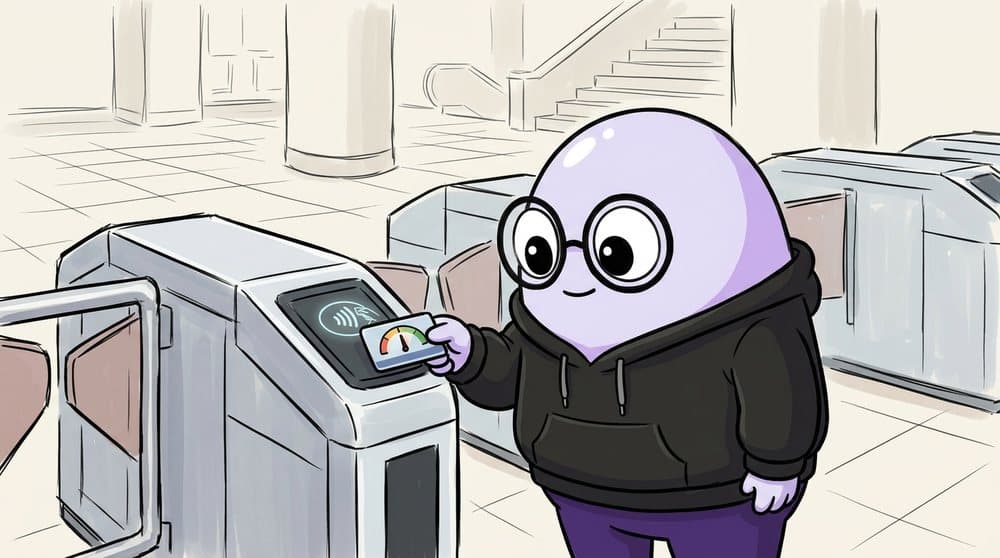
A metro smart card with starter balance
A new metro card comes with some balance loaded in and a few free rides for trying new lines. Ride within the balance and you pay nothing. When it runs out, you either top up or the card stops working. The AWS free plan works the same way with credits.
Watch it happen
Free plan vs paid plan (accounts from 15 July 2025)
Free plan
- Sign-up credits, plus more for trying certain services
- No charges while credits last, for up to six months
- Some services and expensive options are not available
- Upgrade to paid before it ends, or the account is closed
Paid plan
- Same credits still apply to eligible usage
- Every service is available
- Usage beyond credits is billed to your card
- The right choice for real projects and work accounts
For learning, the free plan is the safest start because you cannot run up a bill. Always-free limits, such as a monthly allowance of Lambda requests, apply on both plans.
The big ideas
What you need to know
Credits, not free hours
New accounts get USD credits at sign-up and can earn more by completing activities like launching an EC2 instance or setting a budget.
Always-free offers
Services such as Lambda and DynamoDB include a small monthly free allowance that does not expire.
The free plan ends
It lasts six months or until credits run out, whichever comes first. You will get emails before that happens.
Older accounts differ
Accounts created before 15 July 2025 keep the older 12-month Free Tier with hourly and GB limits per service.
See it in code
Walk through the code
1# How much have I spent this month (should be close to zero)?2aws ce get-cost-and-usage \3 --time-period Start=2026-11-01,End=2026-11-24 \4 --granularity MONTHLY \5 --metrics UnblendedCost6 7# Which services are using money?8aws ce get-cost-and-usage \9 --time-period Start=2026-11-01,End=2026-11-24 \10 --granularity MONTHLY --metrics UnblendedCost \11 --group-by Type=DIMENSION,Key=SERVICE1/2Total cost for the month so far. Each Cost Explorer API request has a tiny charge, so don't loop it.
Cost Explorer from the CLI. The End date is exclusive. Cost Explorer must be opened once in the console before the API works.
Save yourself the pain
Common mistakes
Oops
Assuming everything in the console is free because the account is new.
Do this instead
Read the plan details on the Billing and Cost Management page and watch your credit balance.
Oops
Following an old blog post that says '750 hours of t2.micro free for 12 months'.
Do this instead
That describes the legacy Free Tier. Check which model your account is on before trusting any tutorial.
Your mission
Know your plan
Quick check
An account on the free plan uses up all its credits. What happens?
Go deeper
- 1Read the current AWS Free Tier page and note what your account plan includes and when it ends.
- 2Check the credits and Free Tier usage pages in the Billing console every week while learning.
- 3Treat every lab as billable until proven otherwise, and delete resources when you finish.
More topics at this stop
 Creating an AWS Account Safely
 Setting Up AWS Budgets & Billing Alerts
 AWS Management Console, CLI & SDKs
 Installing & Configuring the AWS CLI
 Working With the AWS CLI
 Python & Boto3 for AWS Automation
 AWS Pricing Models & Pricing Calculator

Stuck on this topic? Ask an Insider
Get 1:1 guidance from people who've walked this exact path — on the InsideEdge app.
