
Route Tables & Internet Gateways
Part of the AWS Roadmap
In short
When an instance "has no internet", the answer is almost always in a route table. Learn to read routes and you can debug most VPC connectivity problems in a minute.
Route tables decide where traffic from a subnet goes. An internet gateway attached to the VPC, plus a 0.0.0.0/0 route to it, lets resources with public IPs talk to the internet. Every route table also has a local route for traffic inside the VPC.
Think of it like this
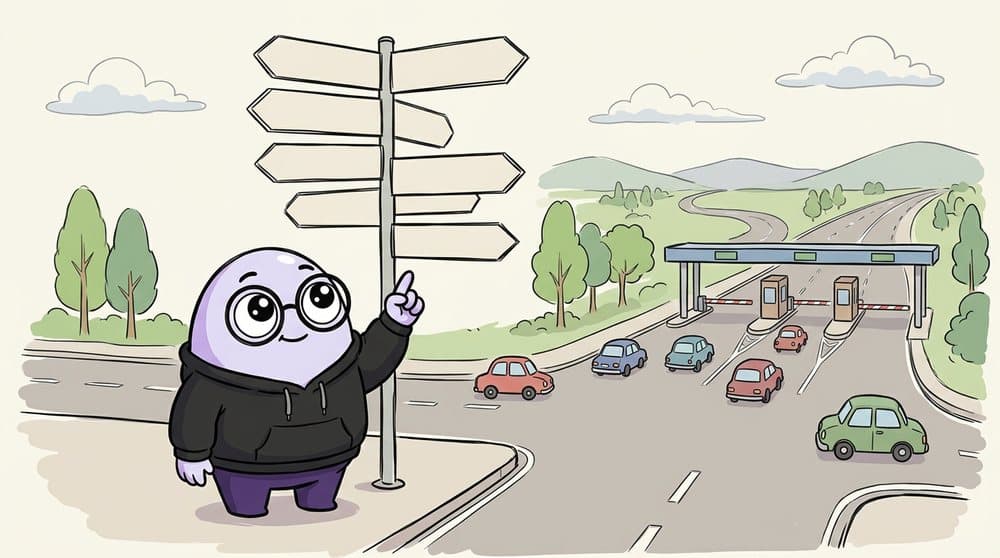
Signboards at a junction
At a highway junction, signboards say 'Pune: left, Mumbai city: straight'. Every subnet's route table is a signboard: traffic for inside the VPC goes local, everything else (0.0.0.0/0) goes to the internet gateway, which is the toll gate onto the national highway.
Watch it happen
A packet leaving a public instance
1/4The instance sends a request to 142.250.x.x (a website).
The big ideas
What you need to know
Local route
Every route table has a local route for the VPC's CIDR. You can't delete it, so subnets in a VPC can always route to each other.
Most specific wins
If several routes match, AWS uses the longest prefix. A /24 route beats a /16, which beats 0.0.0.0/0.
One IGW per VPC
An internet gateway is attached to one VPC, scales automatically and costs nothing by itself.
Main vs custom tables
Subnets without an explicit association use the VPC's main route table. Keep the main table private and create custom tables for public subnets.
See it in code
Walk through the code
1VPC_ID=vpc-0123456789abcdef02PUB_A=subnet-0aaa00000000000013 4IGW_ID=$(aws ec2 create-internet-gateway --query InternetGateway.InternetGatewayId --output text)5aws ec2 attach-internet-gateway --internet-gateway-id "$IGW_ID" --vpc-id "$VPC_ID"6 7RT_PUB=$(aws ec2 create-route-table --vpc-id "$VPC_ID" --query RouteTable.RouteTableId --output text)8aws ec2 create-route --route-table-id "$RT_PUB" \9 --destination-cidr-block 0.0.0.0/0 --gateway-id "$IGW_ID"10aws ec2 associate-route-table --route-table-id "$RT_PUB" --subnet-id "$PUB_A"11 12aws ec2 describe-route-tables --route-table-ids "$RT_PUB" \13 --query "RouteTables[0].Routes[].[DestinationCidrBlock,GatewayId,State]" --output table1/5Create the internet gateway and attach it to the VPC.
Create and attach an internet gateway, add a default route to it and associate the table with the public subnet.
Save yourself the pain
Common mistakes
Oops
Adding the 0.0.0.0/0 route to the main route table.
Do this instead
Every subnet without its own table then becomes public by accident. Use a dedicated public route table.
Oops
Attaching an IGW and expecting an instance with no public IP to reach the internet.
Do this instead
Instances in a public subnet also need a public IPv4 or Elastic IP. Private-only instances use a NAT gateway.
Your mission
Make a subnet public
Quick check
A route table has 10.20.0.0/16 local, 10.30.0.0/16 to a peering connection and 0.0.0.0/0 to an IGW. Where does traffic to 10.30.5.9 go?
Go deeper
- 1Create an internet gateway, attach it and add a default route in the public route table.
- 2Remove that route and see the public instance lose internet access.
- 3Read the main route table versus custom route table behaviour.
More topics at this stop
 How a VPC Works
 VPC & CIDR Planning
 Public vs Private Subnets
 NAT Gateways
 Security Groups vs Network ACLs
 VPC Peering & Transit Gateway
 VPC Endpoints (Gateway vs Interface)
 Site-to-Site VPN & Direct Connect

Stuck on this topic? Ask an Insider
Get 1:1 guidance from people who've walked this exact path — on the InsideEdge app.
