VPC Peering & Transit Gateway
Part of the AWS Roadmap
In short
Sooner or later your apps live in several VPCs: dev and prod, shared services, a partner's account. How you connect them decides whether your network stays simple or turns into a tangle of links.
VPC peering connects two VPCs privately but is not transitive, so connecting many VPCs means many peering links. Transit Gateway acts as a central hub that connects many VPCs and on-premises networks through one attachment each.
Think of it like this
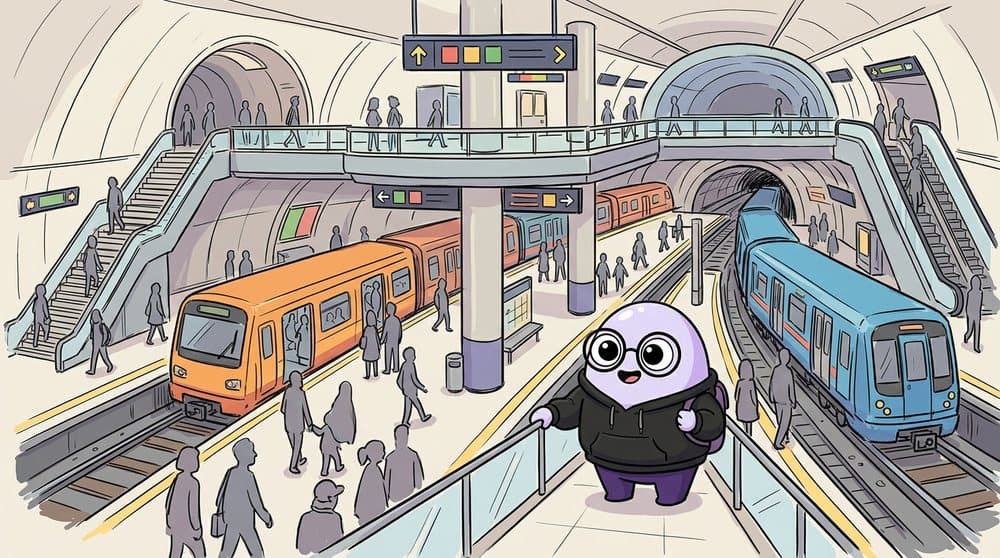
Direct roads vs a metro hub
Two neighbouring towns can build one direct road between them (peering). With ten towns, direct roads to everyone means 45 roads. A central metro interchange where every line meets (Transit Gateway) needs only ten connections, one per town.
Watch it happen
VPC peering vs Transit Gateway
VPC peering
- One-to-one link between two VPCs, same or different Region or account
- Not transitive: A-B and B-C does not give A-C
- No hourly charge, you pay for data transfer
- Routes added by hand in both VPCs
Transit Gateway
- Regional hub, each VPC or VPN attaches once
- Routes between all attachments, with its own route tables
- Charged per attachment hour and per GB processed
- Scales to many VPCs and on-premises links
Two or three VPCs: peering is simple and cheap. Many VPCs or hybrid networks: Transit Gateway keeps it manageable.
The big ideas
What you need to know
No overlapping CIDRs
Peered or attached VPCs must not have overlapping IP ranges. This is why CIDR planning matters.
Routes on both sides
A peering connection does nothing until each VPC's route tables send the other's CIDR to pcx-...
Security groups still apply
Allow traffic from the peer VPC's CIDR (or, in the same Region, its security group) on the receiving side.
No edge routing
Peering doesn't let a VPC use its peer's internet gateway, NAT gateway or VPN.
See it in code
Walk through the code
1# Peer dev (10.10.0.0/16) with shared services (10.50.0.0/16) in the same account2PCX=$(aws ec2 create-vpc-peering-connection \3 --vpc-id vpc-0dev000000000000a --peer-vpc-id vpc-0shared0000000000b \4 --query VpcPeeringConnection.VpcPeeringConnectionId --output text)5aws ec2 accept-vpc-peering-connection --vpc-peering-connection-id "$PCX"6 7aws ec2 create-route --route-table-id rtb-0dev0000000000001 \8 --destination-cidr-block 10.50.0.0/16 --vpc-peering-connection-id "$PCX"9aws ec2 create-route --route-table-id rtb-0shared000000001 \10 --destination-cidr-block 10.10.0.0/16 --vpc-peering-connection-id "$PCX"11 12# The hub alternative: create a Transit Gateway and attach a VPC13TGW=$(aws ec2 create-transit-gateway --description "ap-south-1 hub" \14 --query TransitGateway.TransitGatewayId --output text)15aws ec2 create-transit-gateway-vpc-attachment --transit-gateway-id "$TGW" \16 --vpc-id vpc-0dev000000000000a --subnet-ids subnet-0dev00000000000a1 subnet-0dev00000000000b11/4Request and accept the peering. Across accounts, the other owner accepts.
Peering two VPCs with routes on both sides, then the first step of a Transit Gateway hub for comparison.
Save yourself the pain
Common mistakes
Oops
Peering A with B and B with C, then expecting A to reach C.
Do this instead
Peering is not transitive. Add an A-C peering, or use a Transit Gateway.
Oops
Creating the peering and forgetting the routes.
Do this instead
Without routes in both VPCs, traffic never uses the connection. Check route tables first when pings fail.
Your mission
Connect two VPCs
Quick check
VPC A is peered with B, and B is peered with C. Can an instance in A reach C?
Go deeper
- 1Peer two VPCs with non-overlapping CIDRs and update route tables on both sides.
- 2Explain why A-B and B-C peering does not let A reach C.
- 3Sketch a hub-and-spoke design with Transit Gateway for five VPCs.
More topics at this stop
 How a VPC Works
 VPC & CIDR Planning
 Public vs Private Subnets
 Route Tables & Internet Gateways
 NAT Gateways
 Security Groups vs Network ACLs
 VPC Endpoints (Gateway vs Interface)
 Site-to-Site VPN & Direct Connect

Stuck on this topic? Ask an Insider
Get 1:1 guidance from people who've walked this exact path — on the InsideEdge app.
