
In short
Apps once asked for your Gmail password to import contacts. Terrible idea. OAuth 2.0 lets a user give your app limited access to their account, without ever handing you the password.
An open standard that lets a user grant your app limited access to their account on another service (Google, GitHub) without ever sharing their password with you.
Think of it like this
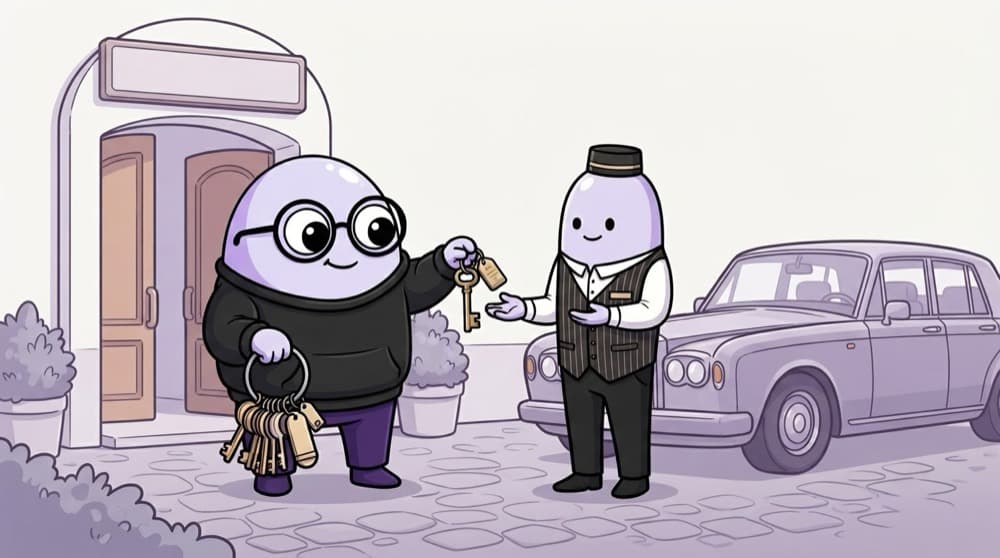
The valet key
At a hotel you give the valet a special key. It starts the car and parks it, but can't open the boot or the glovebox. Your main keys stay with you. An OAuth access token is that valet key: limited permissions, for one app, and you can take it back.
Watch it happen
Authorization code flow with PKCE
redirect /authorize
1/6Your app sends you to Google's sign-in page, asking for the calendar.readonly scope.
The big ideas
What you need to know
Four roles
The user, your app (the client), the authorization server, and the API that holds the data.
Scopes limit access
Ask only for what you need, like calendar.readonly. The user sees exactly what they're granting.
Code first, tokens second
The authorization code flow with PKCE is the recommended flow for web, mobile and single-page apps.
OAuth is about access
OAuth answers 'what can this app do?'. For 'who is this user?', OpenID Connect adds an ID token on top.
See it in code
Walk through the code
1import crypto from "node:crypto";2 3const verifier = crypto.randomBytes(32).toString("base64url");4const challenge = crypto.createHash("sha256").update(verifier).digest("base64url");5 6const authUrl = new URL("https://accounts.google.com/o/oauth2/v2/auth");7authUrl.search = new URLSearchParams({8 client_id: process.env.GOOGLE_CLIENT_ID!,9 redirect_uri: "http://localhost:3000/callback",10 response_type: "code",11 scope: "https://www.googleapis.com/auth/calendar.readonly",12 state: crypto.randomBytes(16).toString("hex"),13 code_challenge: challenge,14 code_challenge_method: "S256",15}).toString();16// Save verifier and state in the session, then redirect the user to authUrl.1/4PKCE: a random verifier, and its SHA-256 hash as the challenge. Only your server knows the verifier.
In /callback, check state, then POST the code and verifier to https://oauth2.googleapis.com/token to receive the tokens.
Save yourself the pain
Common mistakes
Oops
Asking for every scope 'just in case'.
Do this instead
Users get nervous and click Deny. Ask for the minimum, and request more later when a feature needs it.
Oops
Skipping the state check in the callback.
Do this instead
Without it, an attacker can trick a user into finishing a login with the attacker's code. Always compare state.
Your mission
Walk through the OAuth dance
Quick check
Why does your app receive a code first instead of the access token directly?
Go deeper
- 1Trace through the OAuth 'authorization code' flow step by step on paper.
- 2Implement 'Sign in with GitHub' using a library like Passport or a raw OAuth flow.
- 3Learn the difference between OAuth (authorization) and OpenID Connect (authentication).
More topics at this stop
 Sessions
 JWT
 Passport.js
 Password Hashing (bcrypt)
 Role-Based Access Control (RBAC)
 Refresh Tokens
 Social Login (Google/GitHub)
 API Keys
 Multi-Factor Authentication
 Single Sign-On (SSO)

Stuck on this topic? Ask an Insider
Get 1:1 guidance from people who've walked this exact path — on the InsideEdge app.
