In short
Loading a 2 GB file into memory just to send it will knock your server over. Streams move data in small chunks, so huge files and uploads need only a little, steady memory.
Node's abstraction for processing data piece by piece (chunks) instead of loading it all into memory at once — essential for handling large files or data transfers efficiently.
Think of it like this
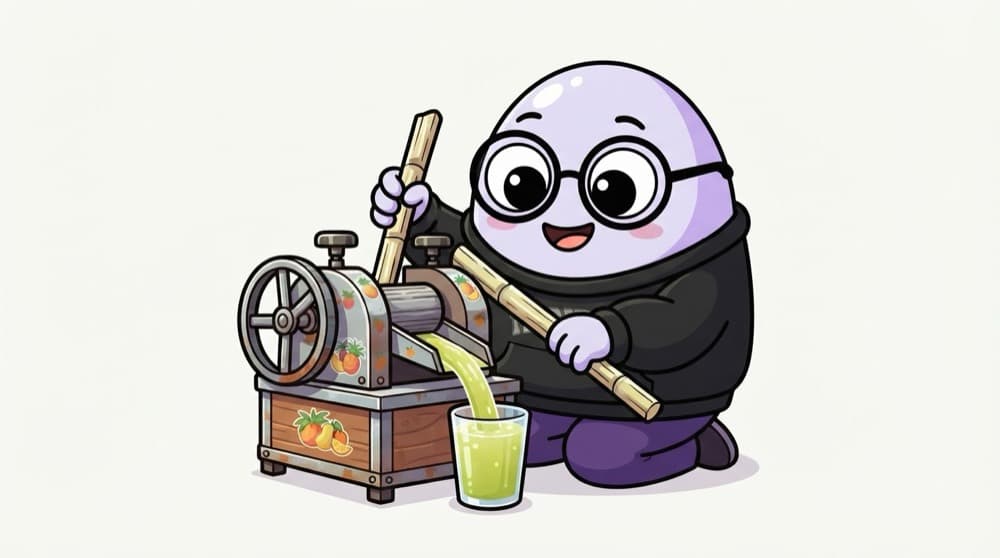
The sugarcane juice machine
The juice wala doesn't crush all the cane first and pour later. He feeds one stick at a time, and juice flows into the glass non-stop. If the glass is full, he pauses. Streams work the same way: chunks in, chunks out, and a pause when the other end is full.
Watch it happen
Compressing a big log file
1/6createReadStream reads logs.txt in chunks of 64 KB instead of loading the whole file.
The big ideas
What you need to know
Four kinds of stream
Readable (source), Writable (destination), Duplex (both, like a socket) and Transform (changes data passing through).
HTTP is streams
In node:http, req is a readable stream and res is a writable one. Uploads and downloads flow through them.
Backpressure saves memory
A slow consumer tells the producer to pause. Without that, data piles up in memory.
Use pipeline()
pipeline connects streams, passes errors along and closes everything if one part fails.
See it in code
Walk through the code
1import { createReadStream, createWriteStream } from "node:fs";2import { createGzip } from "node:zlib";3import { pipeline } from "node:stream/promises";4import http from "node:http";5 6await pipeline(7 createReadStream("logs.txt"),8 createGzip(),9 createWriteStream("logs.txt.gz"),10);11console.log("Compressed without loading the whole file");12 13http.createServer((req, res) => {14 res.setHeader("Content-Type", "video/mp4");15 pipeline(createReadStream("lecture.mp4"), res).catch(console.error);16}).listen(3000);1/3Read, compress, write: three streams joined into one pipeline that handles backpressure for you.
Save as stream.mjs. Memory use stays about the same whether logs.txt is 1 MB or 10 GB, because only a few chunks are in memory at any moment.
Save yourself the pain
Common mistakes
Oops
Using fs.readFile to serve big downloads or videos.
Do this instead
readFile loads everything into memory first. Stream it with createReadStream, so each user costs only a few chunks.
Oops
Using .pipe() with no error handling, leaving files open when something fails.
Do this instead
Use pipeline() from node:stream/promises. It forwards errors and cleans up every stream in the chain.
Your mission
Compress a big log
Quick check
What is backpressure in Node streams?
Go deeper
- 1Stream a large file to an HTTP response instead of reading it fully into memory first.
- 2Learn the four stream types: Readable, Writable, Duplex, Transform.
- 3Practice piping one stream into another, e.g. reading a file and gzipping it.
More topics at this stop
 Node.js Runtime
 V8 Engine
 Event Loop
 Non-Blocking I/O
 Modules (CommonJS vs ESM)
 NPM & Package Management
 package.json
 Async Programming
 Callbacks
 Promises
 Async/Await
 Buffers
 File System (fs)
 Process & Environment Variables
 Event Emitter
 Child Processes
 Clustering

Stuck on this topic? Ask an Insider
Get 1:1 guidance from people who've walked this exact path — on the InsideEdge app.
