
Authentication Microservice
Part of the Backend Developer Roadmap
In short
Login looks simple until you add tokens, refresh, password reset and five other services that need to trust it. A standalone auth service shows you understand security, not just bcrypt.
A dedicated, reusable auth service — signup, login, tokens, password reset — that other services in a larger system could call, practicing service boundaries and security end-to-end.
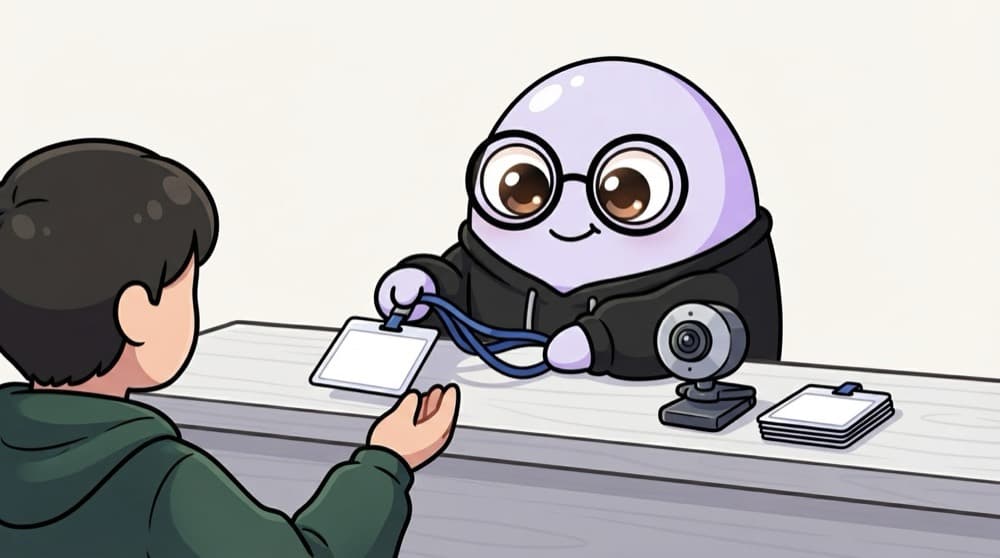
Think of it like this
The campus ID card office
One office checks your documents and prints your ID card. After that, the library, the hostel and the exam hall just look at the card. They don't call the office every time. That's an auth service issuing signed tokens.
Watch it happen
Log in once, use everywhere
POST /login
1/7The app sends email and password to the auth service only.
The big ideas
What you need to know
Hash passwords properly
Use argon2id or bcrypt. Never store plain or simply SHA-256 hashed passwords.
Short access, rotating refresh
Access tokens live minutes. Refresh tokens live days, are stored hashed, and are replaced on every use.
Asymmetric signing
Sign with a private key (ES256 or RS256) and publish public keys at a JWKS URL so services verify alone.
Password reset done right
Random, single-use, short-expiry tokens, stored hashed, sent by email. Old sessions end after a reset.
See it in code
Walk through the code
1import { SignJWT, importPKCS8 } from "jose";2import argon2 from "argon2";3 4const privateKey = await importPKCS8(process.env.JWT_PRIVATE_KEY!, "ES256");5export async function login(email: string, password: string) {6 const user = await db.user.findUnique({ where: { email } });7 // Same error for "no user" and "wrong password", so attackers can't probe emails8 if (!user || !(await argon2.verify(user.passwordHash, password))) {9 throw new Error("Invalid email or password");10 }11 const accessToken = await new SignJWT({ role: user.role })12 .setProtectedHeader({ alg: "ES256", kid: "key-1" })13 .setSubject(user.id).setIssuer("auth.myapp.dev").setExpirationTime("15m")14 .sign(privateKey);15 return { accessToken, refreshToken: await createRefreshToken(user.id) };16}1/3Load the private signing key once at startup. Only the auth service ever has it.
Other services fetch the public key from your JWKS endpoint and verify tokens with jose's jwtVerify, checking issuer and expiry.
Save yourself the pain
Common mistakes
Oops
Giving access tokens a 30-day expiry because refresh feels complicated.
Do this instead
A stolen 30-day token works for 30 days. Keep access tokens short and use refresh tokens.
Oops
Leaving the login endpoint without rate limits.
Do this instead
Limit attempts per account and per IP, or attackers can guess passwords all day.
Your mission
Milestone 1: login and verify
Quick check
Why sign tokens with a private key and let other services verify with a public key?
Go deeper
- 1Expose signup, login, token refresh and password reset as clean, documented endpoints.
- 2Design it to be consumed by other services — issue JWTs other APIs can verify independently.
- 3Add rate limiting and account lockout on the login endpoint specifically.
More projects at this stop
 URL Shortener
 Blogging Platform API
 E-commerce Backend
 Job Queue System
 Rate Limiter Service
 Real-time Chat Backend (WebSocket)
 Payment Integration Backend (Stripe)
 Multi-tenant SaaS API
 File Storage Service (S3-like)
 Notification Service (Email/SMS/Push)
 API Gateway for Microservices
 Video Streaming Backend
 Social Media Backend (Feed, Comments, Likes)

Stuck on this topic? Ask an Insider
Get 1:1 guidance from people who've walked this exact path — on the InsideEdge app.
