
Business Continuity & Disaster Recovery Planning
Part of the Cybersecurity Roadmap
In short
Ransomware, floods or a cloud region outage can stop a business cold. Continuity and recovery plans decide whether you are back in hours or out for weeks.
Planning how an organization continues operating (business continuity) and restores systems (disaster recovery) after a major disruption — security incidents are one of many disruption types this planning covers.
Think of it like this
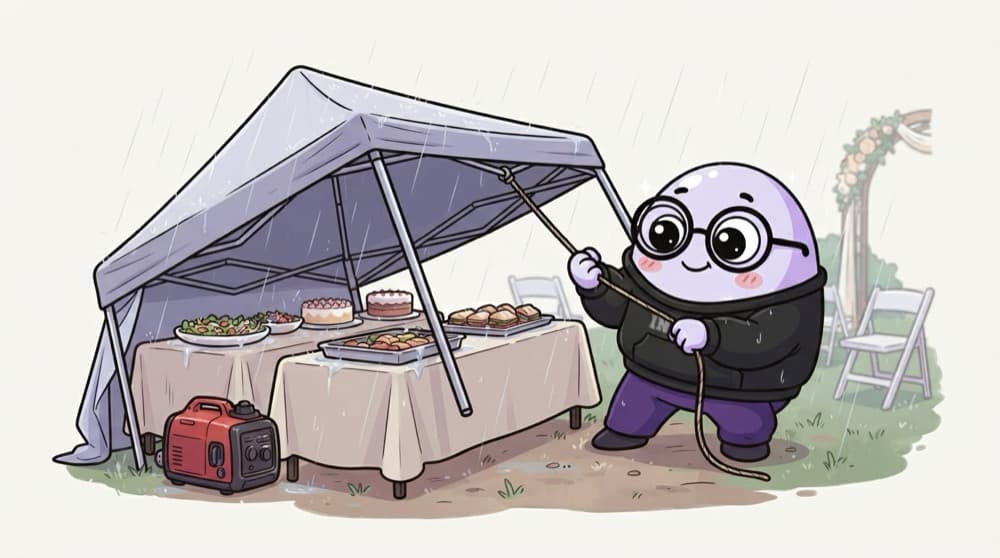
The rain plan at a wedding
A smart wedding planner books a waterproof tent and a backup generator before the monsoon date. When rain starts, the food moves under cover and the lights stay on. Guests barely notice. Planning ahead is what makes the recovery calm.
Watch it happen
RPO and RTO on a timeline
1/4The billing database is backed up every two hours. The last good backup ran at 01:00.
The big ideas
What you need to know
BCP keeps work going
Business continuity covers people and processes: who decides, how staff work, how customers are told while systems are down.
DR brings IT back
Disaster recovery is the technical part: restoring systems and data within the agreed RTO and RPO.
Offline backups
Keep at least one backup copy that ransomware cannot reach, like immutable or offline storage, so attackers cannot encrypt it too.
Test the restore
A backup you have never restored is a hope, not a plan. Run restore drills and time them against your RTO.
See it in code
Walk through the code
1# One entry in a recovery plan2system: billing-db3owner: finance-it-lead4criticality: high5rpo: 2h # max data we can lose6rto: 4h # max time we can be down7backups:8 schedule: every 2h9 copies: [cloud-snapshot, immutable-offsite]10restore_test:11 last_run: 2026-09-1412 took: 2h40m # inside the 4h RTO13fallback: take orders on paper, enter later1/4Name the system, a real owner and how critical it is, so priorities are clear in a crisis.
Each critical system gets an entry like this. It ties the business promise (RTO, RPO) to the backup setup and proof that a restore really works.
Save yourself the pain
Common mistakes
Oops
Keeping backups on the same network share that ransomware can reach.
Do this instead
Keep at least one immutable or offline copy, separated from normal admin accounts.
Oops
Writing the plan only in a document stored on the server that might go down.
Do this instead
Keep printed or offline copies of contacts and key steps, so the plan survives the disaster it is for.
Your mission
Plan your own laptop disaster
Quick check
Backups run every 6 hours. The business says it can lose at most 1 hour of orders. What is wrong?
Go deeper
- 1Draft a basic BCDR plan outline for a hypothetical critical business function.
- 2Learn the difference between Recovery Time Objective (RTO) and Recovery Point Objective (RPO).
- 3Understand why these plans must be tested regularly, not just written and filed away.
More topics at this stop
 Risk Assessment & Management
 Security Frameworks (NIST, ISO 27001)
 Compliance Standards (SOC 2, GDPR, HIPAA, PCI-DSS)
 Security Policies & Procedures
 Third-Party & Vendor Risk
 Security Awareness Training
 Audit Basics
 Building a Risk Register

Stuck on this topic? Ask an Insider
Get 1:1 guidance from people who've walked this exact path — on the InsideEdge app.
