In short
"It works on my laptop" stops being an excuse with Docker. You pack your app with everything it needs, and it runs the same way on any machine that has Docker.
A containerization tool that packages an app with all its dependencies into a portable, consistent 'container' that runs the same everywhere.
Think of it like this
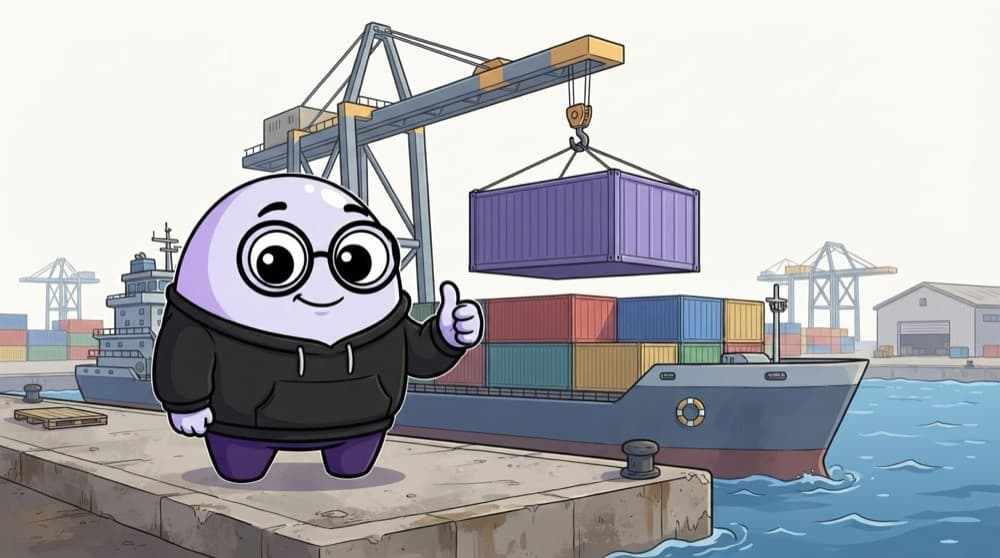
Shipping containers at the port
Before standard containers, every ship was loaded by hand, item by item. Now any crane, truck or ship handles the same box without caring what's inside. A Docker container is that box for your app.
Watch it happen
Dockerfile to running container
1/5docker build -t my-app . reads your Dockerfile from top to bottom.
The big ideas
What you need to know
Dockerfile is the recipe
A text file with step-by-step instructions: which base system, which files to copy, which commands to run.
Image vs container
An image is the packed result of the recipe. A container is a running copy of that image.
Layers get cached
Each instruction makes a layer. If package.json didn't change, Docker reuses the install layer and builds faster.
Multi-stage builds
Build with Node in one stage, then copy only the output into a small web server image.
See it in code
Walk through the code
1# Stage 1: build the app with Node2FROM node:22-alpine AS build3WORKDIR /app4COPY package*.json ./5RUN npm ci6COPY . .7RUN npm run build8 9# Stage 2: serve the static files with nginx10FROM nginx:alpine11COPY --from=build /app/dist /usr/share/nginx/html12EXPOSE 801/4Start from a small Node image and work inside /app.
Build it with docker build -t my-app . and run it with docker run -p 8080:80 my-app, then open localhost:8080. The final image has no Node or node_modules in it.
Save yourself the pain
Common mistakes
Oops
Copying the whole project before running npm ci.
Do this instead
Copy package files first, install, then copy the rest. Code changes then won't redo the slow install step.
Oops
Skipping a .dockerignore file.
Do this instead
Add node_modules, .git and .env to .dockerignore so they don't bloat the image or leak secrets.
Your mission
Containerise a Vite app
Quick check
Why does the Dockerfile copy package*.json and run npm ci before copying the rest of the code?
Go deeper
- 1Write a simple `Dockerfile` for a small Node.js/Next.js app.
- 2Build and run the container locally with `docker build` and `docker run`.
- 3Learn why containers solve the classic 'works on my machine' problem.
More topics at this stop
 Vercel
 Netlify
 Cloudflare Pages
 GitHub Pages
 CI/CD
 Environment Variables
 Domain
 HTTPS

Stuck on this topic? Ask an Insider
Get 1:1 guidance from people who've walked this exact path — on the InsideEdge app.
