In short
Adding ARIA labels the week before launch is painful and patchy. When accessibility is built into your components and checks, every new screen gets it without extra effort.
Baking accessibility into your architecture from the start — a shared component library with accessible primitives — rather than retrofitting ARIA attributes later.
Think of it like this
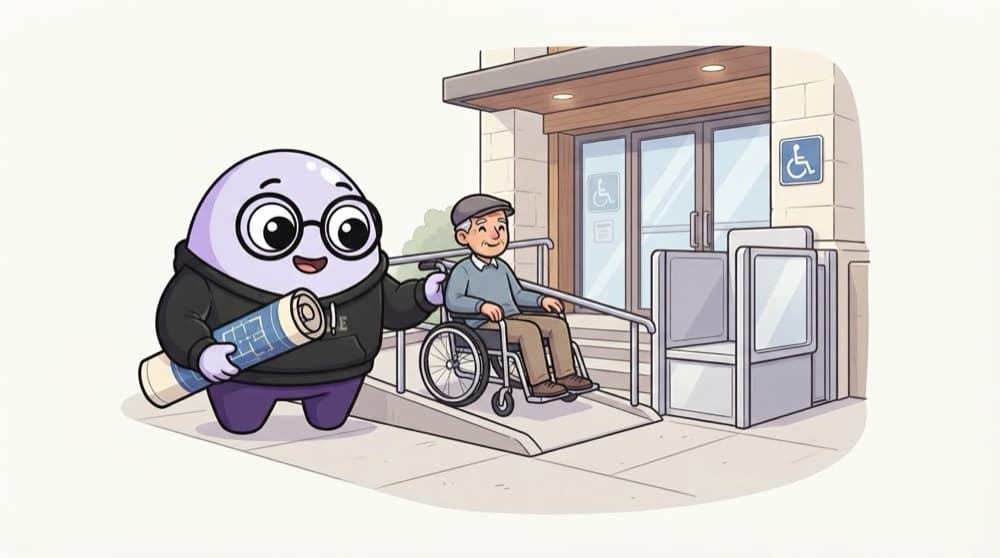
Ramps in the building plan
Adding a ramp and lift to a finished building means breaking walls. Drawing them in the original plan costs almost nothing. Accessibility is the same: plan it into your component library, and every page inherits it.
Watch it happen
Accessibility built into the system
1/5Colour tokens are checked for contrast once, so every screen starts readable.
The big ideas
What you need to know
Accessible building blocks
Modals, menus and tabs in your library handle focus, keyboard and ARIA once, so pages can't get them wrong.
Tokens with good contrast
If your colour tokens already pass contrast checks, designers can't pick unreadable combinations by accident.
Automated checks in CI
Lint rules and axe tests catch missing labels and bad roles before code is merged.
Humans still test
Tools catch only part of the problems. Regular keyboard and screen reader checks find the rest.
See it in code
Walk through the code
1// tests/a11y.spec.ts (Playwright + axe-core)2import { test, expect } from "@playwright/test";3import AxeBuilder from "@axe-core/playwright";4 5test("home page has no detectable a11y issues", async ({ page }) => {6 await page.goto("/");7 const results = await new AxeBuilder({ page }).analyze();8 expect(results.violations).toEqual([]);9});1/4Import Playwright's test runner and the axe integration.
Run this in CI and every pull request gets an accessibility check. It finds issues like missing alt text and low contrast automatically.
Save yourself the pain
Common mistakes
Oops
Building custom dropdowns with divs and onClick everywhere.
Do this instead
Use native elements or accessible primitives in your library, so keyboard and screen reader support come built in.
Oops
Treating a passing automated check as proof the site is accessible.
Do this instead
Automated tools miss many issues. Tab through key flows yourself and try a screen reader regularly.
Your mission
Add an accessibility gate
Quick check
Your modal traps keyboard users on one page but works on another. What's the most scalable fix?
Go deeper
- 1Audit your shared component library for keyboard and screen-reader support.
- 2Establish a rule: no new shared component ships without basic a11y support.
- 3Learn how accessible primitives (Radix, Headless UI) let you inherit this for free.
More topics at this stop
 Folder Structure
 Scalable Architecture
 Atomic Design
 Feature-based Architecture
 Component Library
 Reusable Components
 State Separation
 API Layer
 Caching
 Error Boundaries
 Micro Frontends
 Performance Architecture

Stuck on this topic? Ask an Insider
Get 1:1 guidance from people who've walked this exact path — on the InsideEdge app.
