In short
Not all state is the same. A dropdown being open, the logged-in user and a list fetched from the server need different tools. Mixing them in one store causes most state headaches.
Deliberately distinguishing different kinds of state — local UI state, global app state, and server/cache state — and managing each with the right tool instead of one giant store.

Think of it like this
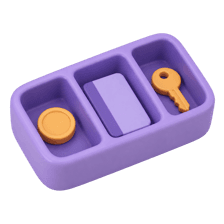
Pocket, wallet and bank
Change for the auto goes in your pocket. Your debit card sits in your wallet. Your savings stay in the bank, which is the real record. UI state, app state and server state need the same kind of separation.
Watch it happen
Four kinds of state on one page
1/6Opening the filter menu is local UI state. Only this component cares.
The big ideas
What you need to know
Local UI state
Things only one component cares about, like an open menu. Keep it in useState.
Shared client state
Things many components need, like theme or a cart before checkout. Use context or a small store like Zustand.
Server state
Data that really lives on the server. A library like TanStack Query handles fetching, caching and refetching.
URL state
Filters, search terms and page numbers belong in the URL, so links can be shared and refreshed.
See it in code
Walk through the code
1function CoursesPage() {2 const [isFilterOpen, setFilterOpen] = useState(false); // UI3 const searchParams = useSearchParams(); // URL4 const level = searchParams.get("level") ?? "all";5 const theme = useThemeStore((s) => s.theme); // shared6 7 const { data, isLoading } = useQuery({ // server8 queryKey: ["courses", level],9 queryFn: () => getCourses(level),10 });11 // ...12}1/4Local UI state for the filter menu.
Four kinds of state, four tools. The level filter lives in the URL, so it survives a refresh and is part of the query key.
Save yourself the pain
Common mistakes
Oops
Copying API data into Redux or context and updating it by hand.
Do this instead
Let a server-state library own fetched data. It handles caching, loading and refetching for you.
Oops
Keeping search filters only in useState, so refresh wipes them.
Do this instead
Store filters in the URL search params. Users can bookmark and share the exact view.
Your mission
Sort your state into buckets
Quick check
Where should the current page number of a product listing usually live?
Go deeper
- 1Audit a project's state and label each piece as local, global, or server state.
- 2Move server state out of Redux/Context and into React Query if it's mixed in today.
- 3Learn why treating all state the same way tends to cause avoidable complexity.
More topics at this stop
 Folder Structure
 Scalable Architecture
 Atomic Design
 Feature-based Architecture
 Component Library
 Reusable Components
 API Layer
 Caching
 Error Boundaries
 Micro Frontends
 Accessibility
 Performance Architecture

Stuck on this topic? Ask an Insider
Get 1:1 guidance from people who've walked this exact path — on the InsideEdge app.
