Error Boundaries
Part of the Frontend Developer Roadmap
In short
In React, an error during rendering can blank out the whole screen. Error boundaries contain the damage, so one broken widget doesn't take the entire page with it.
Deciding where in your component tree to place error boundaries so a single broken widget doesn't crash the entire page — an architectural, not just technical, decision.
Think of it like this
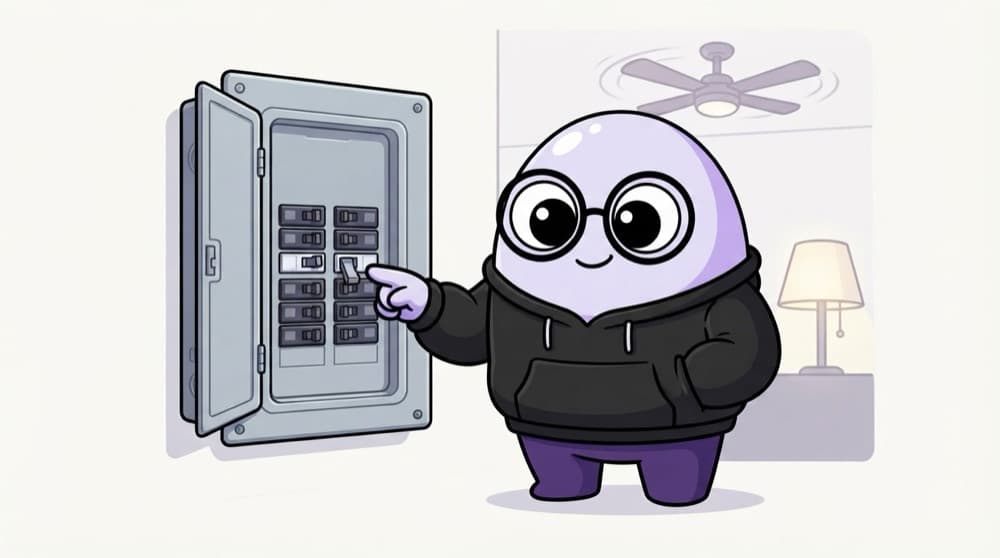
MCBs in your house
When the geyser shorts, only its circuit breaker trips. The fans and lights stay on. Error boundaries are those breakers. Where you install them decides how much of your app goes dark when something fails.
Watch it happen
Only one box goes dark
1/4StatsChart throws an error while rendering, maybe from bad data.
The big ideas
What you need to know
They catch render errors
A boundary catches errors thrown while rendering its children and shows a fallback UI instead.
They don't catch everything
Errors in event handlers, setTimeout and most async code skip boundaries. Handle those with try/catch.
Placement is the design
One at the root stops a blank screen. More around routes and risky widgets keep the rest usable.
Offer a way back
A good fallback has a "Try again" button that resets the boundary, and reports the error.
See it in code
Walk through the code
1import { ErrorBoundary } from "react-error-boundary";2 3export function Dashboard() {4 return (5 <>6 <Header />7 <ErrorBoundary fallback={<p>Couldn't load your stats.</p>}>8 <StatsChart />9 </ErrorBoundary>10 <ErrorBoundary fallback={<p>Couldn't load notifications.</p>}>11 <Notifications />12 </ErrorBoundary>13 </>14 );15}1/4Import the ready-made ErrorBoundary component.
If StatsChart crashes, only its box shows the message. The header and notifications keep working. In Next.js, an error.tsx file sets a boundary for a route.
Save yourself the pain
Common mistakes
Oops
Wrapping only the whole app in a single boundary.
Do this instead
Keep one at the root as a safety net, and add boundaries around routes and independent widgets too.
Oops
Expecting a boundary to catch an error thrown inside an onClick handler.
Do this instead
Use try/catch in handlers and async code, then set state to show an error message.
Your mission
Crash a widget on purpose
Quick check
Which error will an error boundary NOT catch?
Go deeper
- 1Map your app's routes and widgets and decide where boundaries should sit.
- 2Wrap independent, non-critical widgets in their own boundary so failures stay contained.
- 3Design a consistent fallback UI pattern used across all your boundaries.
More topics at this stop
 Folder Structure
 Scalable Architecture
 Atomic Design
 Feature-based Architecture
 Component Library
 Reusable Components
 State Separation
 API Layer
 Caching
 Micro Frontends
 Accessibility
 Performance Architecture

Stuck on this topic? Ask an Insider
Get 1:1 guidance from people who've walked this exact path — on the InsideEdge app.
