
ExecutorService & Thread Pools
Part of the Java Roadmap
In short
Creating a new thread for every task is slow and can crash a busy server. Real Java code hands tasks to a thread pool and lets a fixed team of threads work through them.
ExecutorService manages a pool of reusable threads so you submit tasks instead of creating threads by hand. Callable tasks return results through a Future.
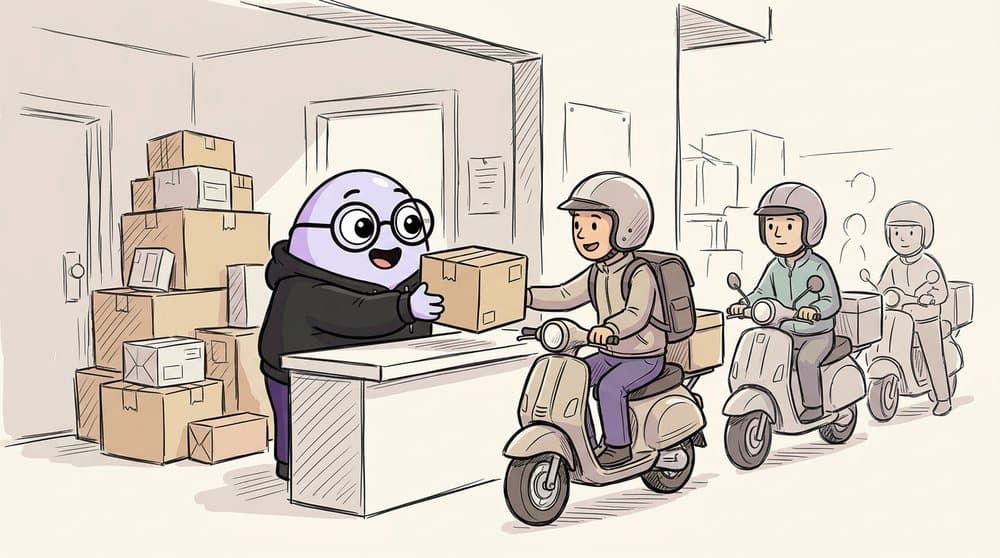
Think of it like this
The courier hub
A Bengaluru courier hub doesn't hire a new delivery person for every parcel. It has eight riders and a pile of parcels. Each rider takes the next parcel, delivers it and comes back for another. ExecutorService is the hub, the riders are pool threads, and each parcel is a task.
Watch it happen
Tasks waiting in the pool's queue
Front of the queue is coloured
1/6submit() adds a task. A free pool thread picks it up right away.
The big ideas
What you need to know
Reuse threads
Executors.newFixedThreadPool(n) keeps n threads alive and reuses them, avoiding the cost of creating threads.
Runnable or Callable
submit(Runnable) for fire-and-forget. submit(Callable<T>) when the task returns a value or throws a checked exception.
Future holds the result
future.get() waits for the task and returns its value, or throws ExecutionException if the task failed.
Always shut down
Call shutdown() and awaitTermination(), or use try-with-resources on Java 19+ where ExecutorService is AutoCloseable.
How it works
Life of a submitted task
- 1
Submit
You call submit(task) and get a Future back immediately.
- 2
Queue
If all threads are busy, the task waits in the pool's queue.
- 3
Run
A free pool thread takes it and runs call() or run().
- 4
Collect
future.get() returns the value or rethrows the failure.
- 5
Shut down
When no more work is coming, close the pool so the JVM can exit.
See it in code
Walk through the code
1import java.util.*;2import java.util.concurrent.*;3 4public class PriceChecker {5 public static void main(String[] args) throws Exception {6 List<String> shops = List.of("Amazon", "Flipkart", "Croma");7 8 try (ExecutorService pool = Executors.newFixedThreadPool(3)) {9 List<Future<Integer>> futures = new ArrayList<>();10 for (String shop : shops) {11 Callable<Integer> task = () -> fetchPrice(shop);12 futures.add(pool.submit(task));13 }14 15 for (int i = 0; i < shops.size(); i++) {16 System.out.println(shops.get(i) + ": ₹" + futures.get(i).get());17 }18 }19 }20 21 static int fetchPrice(String shop) throws InterruptedException {22 Thread.sleep(500); // pretend network call23 return 14_999 + shop.length() * 100;24 }25}1/3A pool of three threads. Closing it at the end of the try waits for tasks and shuts it down.
Three price lookups run in parallel, so the program takes about half a second instead of one and a half. Try-with-resources on the pool needs Java 19 or newer.
Save yourself the pain
Common mistakes
Oops
Forgetting to shut the executor down.
Do this instead
Non-daemon pool threads keep the JVM running. Call shutdown() or use try-with-resources.
Oops
Calling future.get() right after each submit().
Do this instead
That waits for each task before starting the next, so nothing runs in parallel. Submit everything first, then collect.
Oops
Using newCachedThreadPool for an unbounded flood of slow tasks.
Do this instead
It can create thousands of threads. Use a fixed pool sized to the work, or virtual threads for blocking I/O.
Your mission
Parallel word counter
Quick check
What does submit() return when you pass a Callable<Integer>?
Go deeper
- 1Submit 10 tasks to a fixed thread pool and collect Future results.
- 2Always shut down executors when you're done with them.
- 3Compare Runnable and Callable.
More topics at this stop
 Threads & Runnable
 Synchronization & Locks
 Race Conditions & Deadlocks
 volatile & the Java Memory Model
 CompletableFuture
 Virtual Threads
 JVM Memory (Heap & Stack)
 Garbage Collection Basics

Stuck on this topic? Ask an Insider
Get 1:1 guidance from people who've walked this exact path — on the InsideEdge app.
