
Core Java Interview Questions
Part of the Java Roadmap
In short
Almost every Java interview opens with core questions like == vs equals or why String is immutable. They're quick to answer if you understand them, and easy to fumble if you only memorised them.
Common topics include JDK vs JRE vs JVM, String immutability, equals vs ==, final/finally/finalize, checked vs unchecked exceptions, static, and Java 8 features like lambdas and streams.
Think of it like this
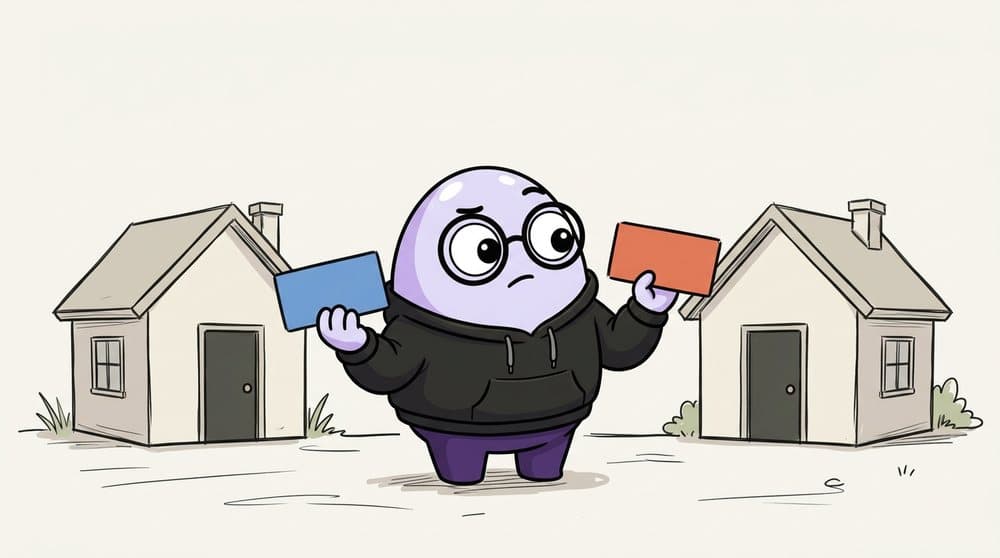
Twin houses, same address
Two identical houses built from the same plan in a Pune colony look exactly alike, so they are equal by content. But they have different addresses, so they aren't the same house. == compares addresses (references). equals compares what's inside, if the class defines it that way.
Watch it happen
== vs equals for Strings
==
- Compares references
- True only for the same object
- "hi" == new String("hi") is false
.equals()
- Compares content for String
- "hi".equals(new String("hi")) is true
- Always use it for text
Use equals for comparing object content. Use == for primitives, enums and checking null.
The big ideas
What you need to know
JDK, JRE, JVM
The JVM runs bytecode. The JRE is the JVM plus libraries. The JDK adds the compiler and tools. Since Java 11, you just install a JDK.
String is immutable
Safe to share, cache in the string pool, use as HashMap keys and pass between threads. Use StringBuilder for building text in loops.
Checked vs unchecked
Checked exceptions (IOException) must be caught or declared. Unchecked ones (RuntimeException subclasses) need not be.
Java 8+ features
Lambdas, streams, Optional, default methods, the java.time API. Newer: var, records, switch expressions, virtual threads.
See it in code
Walk through the code
1public class CoreQuestions {2 public static void main(String[] args) {3 String a = "hi";4 String b = "hi";5 String c = new String("hi");6 7 System.out.println(a == b); // true: same pooled literal8 System.out.println(a == c); // false: different objects9 System.out.println(a.equals(c)); // true: same content10 11 final StringBuilder sb = new StringBuilder("Java");12 sb.append(" 21"); // allowed: object changes13 // sb = new StringBuilder(); // not allowed: reference is final14 15 System.out.println(tryFinally()); // prints 116 }17 18 static int tryFinally() {19 int x = 1;20 try {21 return x;22 } finally {23 x = 2;24 System.out.println("finally runs, x = " + x);25 }26 }27}1/4Both literals point to the same object in the string pool.
tryFinally prints "finally runs, x = 2" and then returns 1, because the return value was already saved. So the last line printed in main is 1. A favourite trick question.
Save yourself the pain
Common mistakes
Oops
Saying final, finally and finalize are related.
Do this instead
final restricts changes, finally always runs after try, finalize was a GC hook that is now deprecated for removal. Only the names are similar.
Oops
Saying Java is pass-by-reference for objects.
Do this instead
Java is always pass-by-value. For objects, the value passed is a copy of the reference.
Oops
Reciting definitions without examples.
Do this instead
Follow each answer with a two-line example. It shows understanding, not memory.
Your mission
Ten-question drill
Quick check
Why is String a good choice as a HashMap key?
Go deeper
- 1Prepare a short answer with a code example for each common question.
- 2Explain concepts out loud as if teaching a friend.
- 3Practise predicting the output of tricky code snippets.
More topics at this stop
 Building a Java Portfolio on GitHub
 Resume for Java Developer Roles
 OOP & Collections Interview Questions
 Spring Boot Interview Questions
 Coding Rounds on LeetCode & HackerRank
 Low-Level Design Questions
 System Design Basics
 Explain Your Projects
 Debugging Approach

Stuck on this topic? Ask an Insider
Get 1:1 guidance from people who've walked this exact path — on the InsideEdge app.
