In short
HashMap is the workhorse of Java: caches, counters, lookups by ID, word frequencies. It finds a value among lakhs of entries almost instantly, and interviewers love asking how it pulls that off.
HashMap stores key-value pairs in buckets chosen by the key's hashCode, giving average O(1) lookups. Collisions share a bucket, large buckets turn into trees, and the map resizes when it gets too full.
Think of it like this
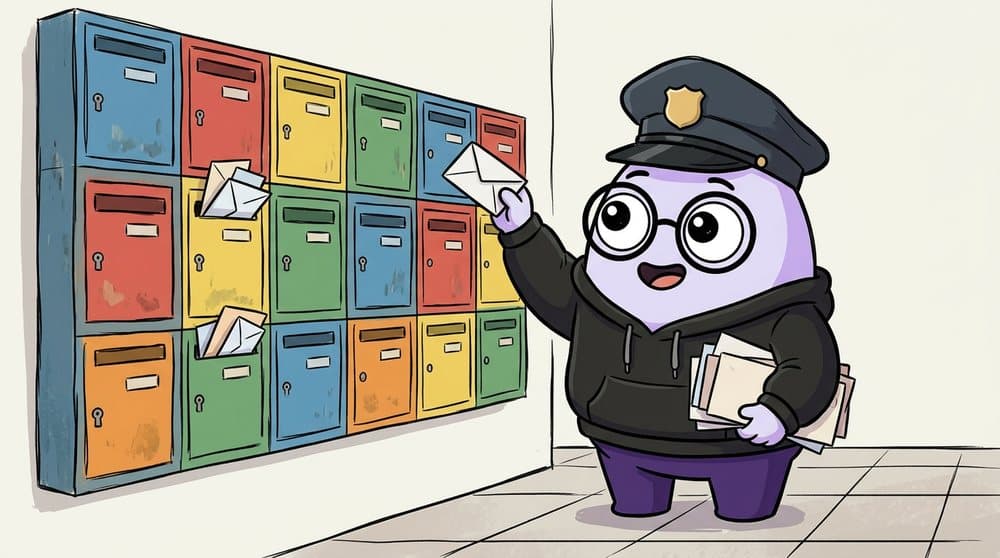
The society letterboxes
A housing society has 16 letterboxes. The watchman looks at the flat number, does a quick calculation and drops the letter in one box. To find a letter later, you repeat the same calculation and open only that box. Sometimes two flats share a box, so you check the names on the few letters inside.
Watch it happen
Putting keys into 8 buckets
1/5A new HashMap has an array of empty buckets. Here we use 8 to keep it small.
The big ideas
What you need to know
hashCode picks the bucket
HashMap mixes the key's hashCode and masks it to an index. Same key, same bucket, every time.
equals picks the entry
Inside a bucket, equals() decides which key matches. That is why both methods must be overridden together.
Collisions are handled
Entries sharing a bucket form a small list. If one bucket grows past 8 entries in a big enough table, it becomes a balanced tree.
Resizing at 75% full
With the default load factor of 0.75, the table doubles once it is three-quarters full and every entry is redistributed.
How it works
What happens on map.put(key, value)
- 1
Hash
Call key.hashCode() and spread its bits so small tables still get variety.
- 2
Index
Mask the hash with (table length - 1) to get a bucket number.
- 3
Search bucket
Walk the entries there, comparing keys with equals().
- 4
Insert or replace
If a matching key exists, replace its value. Otherwise add a new entry.
- 5
Resize if needed
If size now exceeds capacity x 0.75, double the table and rehash.
See it in code
Walk through the code
1import java.util.HashMap;2import java.util.Map;3 4public class HashDemo {5 public static void main(String[] args) {6 Map<String, Integer> stock = new HashMap<>();7 stock.put("Samosa", 40);8 stock.put("Vada Pav", 25);9 stock.put("Samosa", 35); // same key: value replaced10 11 System.out.println(stock.get("Samosa")); // 3512 System.out.println(stock.getOrDefault("Idli", 0)); // 013 stock.merge("Vada Pav", 10, Integer::sum); // now 3514 stock.putIfAbsent("Idli", 50);15 16 int h = "Samosa".hashCode();17 int index = (h ^ (h >>> 16)) & (16 - 1);18 System.out.println("Samosa lives in bucket " + index);19 }20}1/4Keys are unique. Putting Samosa again overwrites 40 with 35.
Everyday HashMap calls, plus the same bucket formula HashMap uses for its default capacity of 16.
Save yourself the pain
Common mistakes
Oops
Using a custom class as a key without overriding equals() and hashCode().
Do this instead
Override both (or use a record). Otherwise two equal-looking keys land as separate entries and get() returns null.
Oops
Changing a field of an object after using it as a key.
Do this instead
Keep keys immutable. If the hashCode changes, the map looks in the wrong bucket and the entry is lost.
Oops
Assuming HashMap keeps insertion order.
Do this instead
Iteration order is not guaranteed. Use LinkedHashMap or TreeMap when order matters.
Your mission
Word counter
Quick check
Two different keys land in the same bucket. What does HashMap use to tell them apart?
Go deeper
- 1Count word frequencies in a paragraph using a HashMap.
- 2Explain buckets, collisions, load factor and resizing in your own words.
- 3Use a custom class as a key without overriding equals and hashCode and see lookups fail.
More topics at this stop
 Collections Framework Overview
 ArrayList vs LinkedList
 TreeMap & LinkedHashMap
 HashSet & TreeSet
 Queue, Deque & PriorityQueue
 Iterators & ConcurrentModificationException
 Comparable vs Comparator
 Generics & Bounded Types
 Immutable Collections & the Collections Utility Class

Stuck on this topic? Ask an Insider
Get 1:1 guidance from people who've walked this exact path — on the InsideEdge app.
