
Strings & String Methods
Part of the Python Roadmap
In short
Names, addresses, messages, file contents: most real-world data arrives as text, and it is usually messy. String methods are the cleaning kit that turns " meera IYER " into "Meera Iyer".
Strings are immutable sequences of characters. Methods like upper(), strip(), replace(), split(), join(), find() and startswith() return new strings, and you can index and loop over them like lists.
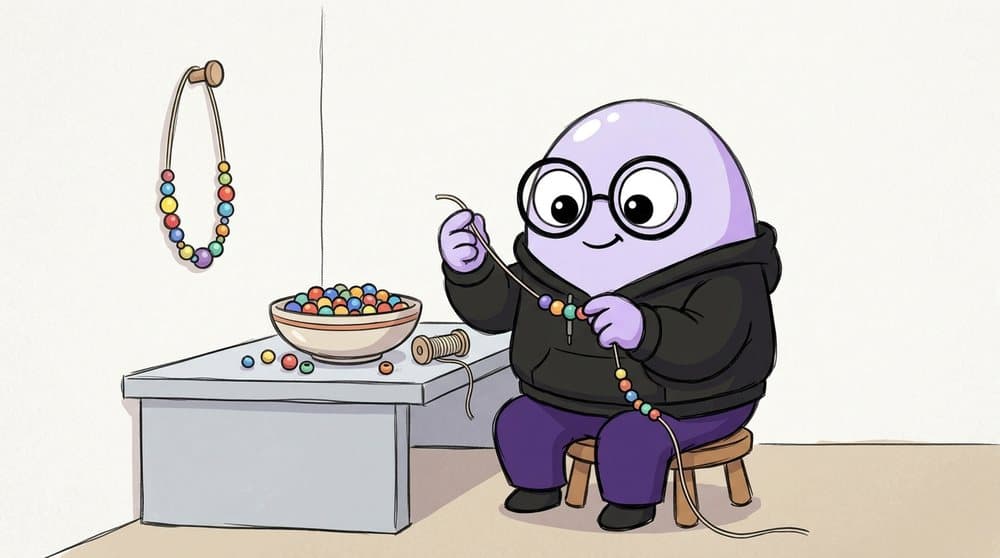
Think of it like this
Beads on a thread
A string is a necklace of beads, each bead one character, each with a numbered position. You can look at any bead, or read a stretch of them, but the necklace is sealed. To "change" it, you thread a brand-new necklace with the beads you want. That's why every string method returns a new string.
Watch it happen
Indexing name = "Meera"
1/5A string is a sequence. Each character has an index starting at 0.
The big ideas
What you need to know
Strings are immutable
name[0] = "m" raises a TypeError. Methods return new strings, so save the result: name = name.strip().
Cleaning methods
strip() removes surrounding spaces, lower(), upper() and title() change case, replace(old, new) swaps text.
Splitting and joining
"a,b,c".split(",") gives a list of pieces, and "-".join(pieces) glues a list back together with a separator.
Searching
"Pune" in address checks membership, find() returns a position (or -1), and startswith() / endswith() check the edges.
See it in code
Walk through the code
1raw = " Meera Iyer, Bengaluru "2clean = raw.strip()3print(clean) # Meera Iyer, Bengaluru4 5parts = clean.split(", ")6name = parts[0]7city = parts[1]8print(name.upper(), city.lower()) # MEERA IYER bengaluru9print(name[0], name[-1], len(name)) # M r 1010 11print(city.startswith("Ben")) # True12print("Iyer" in clean) # True13print(clean.find("Iyer")) # 614print(clean.replace("Bengaluru", "Mysuru"))15print("-".join(["2026", "11", "24"])) # 2026-11-241/5strip() returns a new string without the spaces at both ends.
A messy line of text cleaned, split and searched with built-in string methods.
Save yourself the pain
Common mistakes
Oops
Calling name.strip() on its own line and expecting name to change.
Do this instead
Strings never change in place. Write name = name.strip() to keep the cleaned version.
Oops
Using name[10] on a 10-character string.
Do this instead
Valid indexes run from 0 to len(name) - 1. Use name[-1] for the last character.
Oops
Comparing user input without normalising case, so "Pune" != "pune".
Do this instead
Compare cleaned versions: city.strip().lower() == "pune".
Your mission
Clean a contact list line
Quick check
After city = "delhi" and city.upper(), what is the value of city?
Go deeper
- 1Clean a messy name like ' riya SHARMA ' into 'Riya Sharma' using strip() and title().
- 2Split a comma-separated line into a list and join it back with ' | '.
- 3Remember that string methods return a new string, so assign the result.
Also part of these roadmaps
More topics at this stop
 Variables & Data Types
 Numbers: int, float & Math
 Booleans & None
 Arithmetic Operators
 Comparison & Logical Operators
 f-Strings & String Formatting
 User Input & Type Conversion

Stuck on this topic? Ask an Insider
Get 1:1 guidance from people who've walked this exact path — on the InsideEdge app.
