Variables & Data Types
Part of the Python Roadmap
In short
Every AI model you will ever train starts as plain Python: numbers, text, lists and dictionaries. Get comfortable with these few building blocks and the rest of AI code stops looking scary.
Variables are names that point to values. Python's core types are int, float, str, bool and None, plus containers like list and dict, and the type is decided at runtime, so you never declare it.

Think of it like this
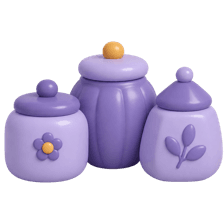
Containers in an Indian kitchen
Rice goes in a big tin, salt in a small jar, spices in the masala dabba with its own little bowls. Each container suits what it holds. Python types work the same way: int for whole numbers, str for text, list for a row of things, dict for labelled things.
Watch it happen
One value per type
1/542 is an int, a whole number. Python ints never overflow, so 2 ** 100 just works.
The big ideas
What you need to know
Variables are just name tags
x = 5 sticks the name x on the value 5. Later x = 'hi' moves the tag to a string. No type declarations needed.
Lists change, tuples don't
A list [1, 2] can grow and shrink. A tuple (1, 2) is fixed, which makes it safe to use as a dict key.
Dicts look things up fast
marks['riya'] finds Riya's marks instantly, no matter how many students are stored. You'll use dicts constantly for configs and JSON.
Sets remove duplicates
set(['a', 'b', 'a']) keeps one 'a'. Handy for finding unique labels in a dataset.
See it in code
Walk through the code
1name = "Riya" # str2age = 20 # int3cgpa = 8.7 # float4is_topper = cgpa > 9 # bool -> False5 6skills = ["python", "sql"] # list7skills.append("pandas")8 9student = {"name": name, "age": age, "skills": skills} # dict10print(student["skills"][0]) # python11print(type(cgpa), len(skills)) # <class 'float'> 312 13tags = {"ml", "ai", "ml"} # set14print(tags) # {'ml', 'ai'} (order may vary)1/4Simple types. Python works out the type from the value, so no int or string keyword is needed.
Five lines of setup cover nearly every type you'll meet in a data script. type() tells you what you're holding when you're unsure.
Save yourself the pain
Common mistakes
Oops
Writing true, false or null like in JavaScript.
Do this instead
Python uses True, False and None, with capital letters. Lowercase versions are just undefined names.
Oops
Comparing floats with == and being surprised, like 0.1 + 0.2 == 0.3 returning False.
Do this instead
Use math.isclose(a, b) or round both sides when you compare decimal results.
Your mission
Describe yourself in Python
Quick check
You need to store each student's roll number with their marks and look marks up by roll number. Which type fits best?
Go deeper
- 1Create one variable of each core type and check it with type().
- 2Reassign a variable to a different type to see dynamic typing in action.
- 3Follow snake_case naming and choose names that say what the value means.
More topics at this stop
 Numbers: int, float & Math
 Booleans & None
 Arithmetic Operators
 Comparison & Logical Operators
 Strings & String Methods
 f-Strings & String Formatting
 User Input & Type Conversion

Stuck on this topic? Ask an Insider
Get 1:1 guidance from people who've walked this exact path — on the InsideEdge app.
