In short
A notebook of 200 copy-pasted cells works once. Clean functions with clear names work next month, for your teammate, and in production. It's the habit that gets data scientists promoted.
Clean code uses small single-purpose functions, clear names, shared modules instead of copy-paste, and consistent formatting. It is easier to test, review and change later, by you or a teammate.

Think of it like this
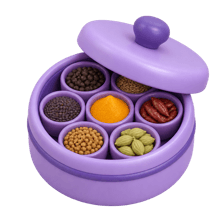
Mummy's masala dabba
Every spice sits in its own small bowl in the round steel box, always in the same spot. Anyone in the family can cook from it without asking. Clean code is the same: each job in its own named function, kept where people expect it.
Watch it happen
Same analysis, two styles
Copy-paste notebook
- Same cleaning pasted in five cells
- Names like df2, df_final_v3
- One fix means five edits
Small functions
- load_orders() used everywhere
- Clear names and a docstring
- Fix once, rerun everything
Explore freely in a notebook, then move repeated steps into named functions in a .py file you import.
The big ideas
What you need to know
One function, one job
load, clean, summarise. Small functions are easier to test, reuse and read.
Names explain intent
monthly_revenue beats df3. A good name saves a comment.
Move code into modules
Put shared functions in a utils.py file and import them into any notebook.
Format and test
Tools like ruff or black tidy formatting. A few pytest tests catch broken cleaning logic early.
See it in code
Walk through the code
1import pandas as pd2 3def load_orders(path: str, min_amount: float = 0) -> pd.DataFrame:4 """Read orders, fix types and drop tiny test orders."""5 df = pd.read_csv(path, parse_dates=["date"])6 df["city"] = df["city"].str.strip().str.lower()7 return df[df["amount"] >= min_amount]8 9def city_summary(df: pd.DataFrame) -> pd.DataFrame:10 return df.groupby("city")["amount"].agg(["count", "sum"])11 12if __name__ == "__main__":13 print(city_summary(load_orders("orders.csv", min_amount=10)))1/4Type hints and a docstring say what goes in, what comes out and why.
Two small, named functions with type hints and a docstring. Import them into any notebook with from utils import load_orders.
Save yourself the pain
Common mistakes
Oops
Hardcoding file paths and magic numbers deep inside functions.
Do this instead
Pass them in as parameters with sensible defaults, like min_amount=0.
Oops
Writing one giant function that loads, cleans, models and plots.
Do this instead
Split it. Each piece can then be reused and tested separately.
Your mission
Refactor an old notebook
Quick check
What does if __name__ == "__main__": do in a Python file?
Go deeper
- 1Refactor one of your old scripts into small functions with clear names.
- 2Move repeated helpers into a shared module and import them.
- 3Replace magic numbers with named constants at the top of the file.
Also part of these roadmaps
More topics at this stop
 Iterators & the Iterator Protocol
 Generators & yield
 Closures
 Decorators
 Type Hints
 The collections Module
 itertools & functools
 Regular Expressions (re)
 Dates & Times (datetime, zoneinfo)

Stuck on this topic? Ask an Insider
Get 1:1 guidance from people who've walked this exact path — on the InsideEdge app.
