
Programming Basics (Java or Python)
Part of the QA Testing Roadmap
In short
Automation means writing your test down so a computer can repeat it a thousand times without getting bored. For that, you need to speak a little code. Not a lot. Just enough.
The entry point into automation — enough general programming fluency in either Java or Python to write and understand test scripts, since both are dominant languages in the test automation ecosystem.
Think of it like this
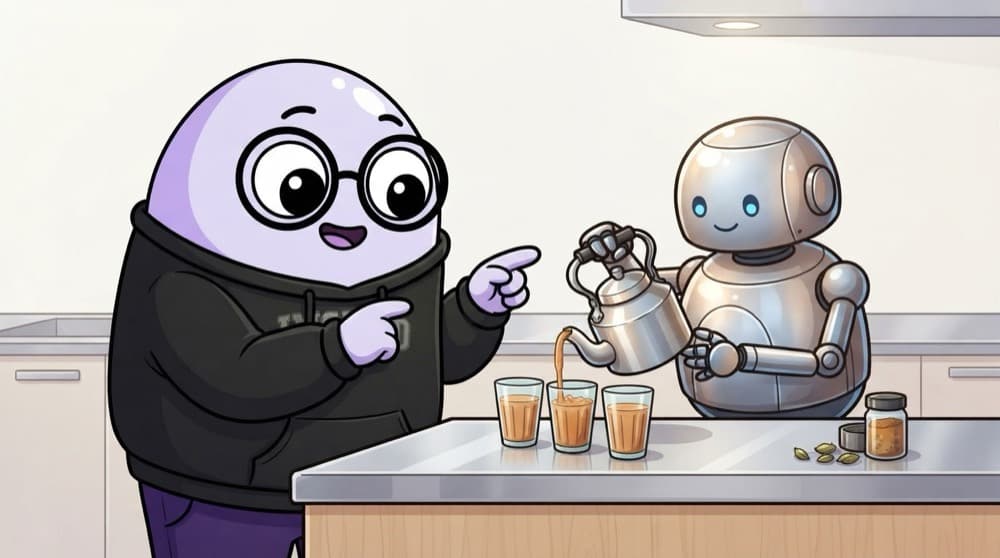
Teaching a robot to make chai
Tell a robot 'make chai' and it just stares at you. Tell it 'boil water, add tea leaves, wait two minutes, add milk, pour' and you get chai. Code is exactly that: small, exact steps written in a language like Python or Java.
Watch it happen
What happens when you run a script
1/5You save your steps in a file, like test_login.py or LoginTest.java.
The big ideas
What you need to know
Top to bottom
A script runs one statement at a time, in order. If line 5 breaks, line 6 never runs.
Syntax is strict
A missing bracket or wrong indent stops everything. The computer won't guess what you meant.
Two styles
Python groups code by indentation. Java uses curly braces, semicolons and declared types like String and int.
Run it often
Write three lines, run, check. Small steps make mistakes easy to spot.
See it in code
Walk through the code
1# my_first_check.py2username = "test_user"3password = "secret12"4 5print("Checking password rules for", username)6 7if len(password) >= 8:8 print("PASS: password is long enough")9else:10 print("FAIL: password too short")1/3Store test data in variables so you can change it in one place.
Your first tester script. Save it, run python my_first_check.py, then change the password to fail it.
Save yourself the pain
Common mistakes
Oops
Watching hours of tutorials before writing a single line yourself.
Do this instead
Type every example by hand and run it. Fingers learn syntax faster than eyes.
Oops
Trying to learn Java and Python together in the first month.
Do this instead
Pick one, get comfortable, then the second one comes much faster.
Your mission
Run your first script
Quick check
Your script has 10 lines and line 4 throws an error. What happens to lines 5 to 10?
Go deeper
- 1Complete a beginner course in your chosen language, focused on general fundamentals.
- 2Practice writing small scripts solving simple problems before touching any automation tool.
- 3Learn to read error messages and tracebacks instead of getting stuck on them.
More topics at this stop
 Variables, Loops & Conditionals
 Functions & Object-Oriented Basics
 Working With Arrays & Collections
 Exception Handling
 File Handling
 Version Control (Git) for Testers
 Debugging Basics
 Reading & Writing Test Scripts
 Choosing a Language for Automation

Stuck on this topic? Ask an Insider
Get 1:1 guidance from people who've walked this exact path — on the InsideEdge app.
