
Array Methods (map, filter, reduce)
Part of the Web Development Roadmap
In short
Lists of data are everywhere: products, students, messages. map, filter and reduce let you transform, pick and total them in one clean line, and you'll see them in every React project.
map transforms every item into a new array, filter keeps only items that pass a test, and reduce combines all items into one value. Together they replace most manual loops.
Think of it like this
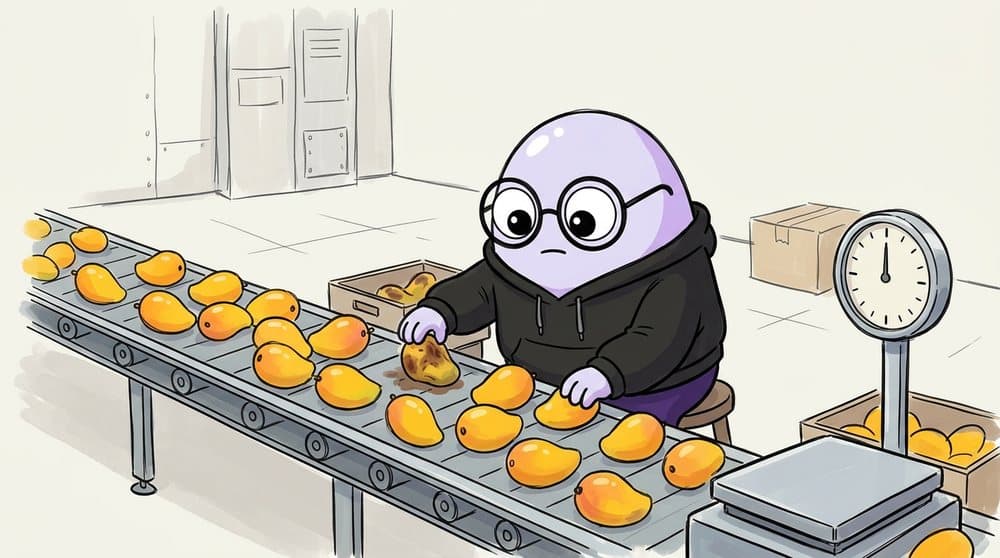
The mango processing line
At a fruit factory in Ratnagiri, mangoes roll down a belt. One station washes and slices every mango (map: change each one). Another station removes bruised ones (filter: keep only good ones). At the end, everything is weighed together into one total (reduce: combine into one value).
Watch it happen
Cart prices through filter, map and reduce
1/4A cart with four item prices in rupees.
The big ideas
What you need to know
map changes every item
Returns a new array of the same length, with your function applied to each item.
filter keeps some items
Returns a new array with only the items where your function returns true.
reduce combines items
Walks through the array carrying an accumulator, and returns one final value like a total.
Originals stay the same
All three return new values and leave the original array unchanged. You can chain them together.
See it in code
Walk through the code
1const products = [2 { name: "Kurta", price: 899, inStock: true },3 { name: "Saree", price: 2499, inStock: false },4 { name: "Dupatta", price: 399, inStock: true },5];6 7const names = products.map((p) => p.name);8// ["Kurta", "Saree", "Dupatta"]9 10const available = products.filter((p) => p.inStock);11// Kurta and Dupatta12 13const total = available.reduce((sum, p) => sum + p.price, 0);14// 129815 16const withGst = available.map((p) => ({ ...p, price: Math.round(p.price * 1.18) }));1/4map pulls out one field from every object.
The three methods on a small product list. This is the same shape of data you'll get from APIs.
Save yourself the pain
Common mistakes
Oops
Forgetting to return inside curly braces: products.map((p) => { p.name }).
Do this instead
With braces you must write return p.name. Without braces, (p) => p.name returns automatically.
Oops
Leaving out reduce's starting value.
Do this instead
Always pass one, like 0 for sums. Without it, reduce on an empty array throws an error.
Your mission
Marks report
Quick check
What does [1, 2, 3, 4].filter((n) => n % 2 === 0).map((n) => n * 10) return?
Go deeper
- 1Use map to add 18% GST to every price in an array.
- 2Use filter to keep only products under ₹500.
- 3Use reduce to calculate the total of a cart, then do it with a for loop to compare.
Also part of these roadmaps
More topics at this stop
 What JavaScript Does
 Variables (let and const)
 Data Types
 Operators
 Conditionals (if, else, switch)
 Loops
 Functions
 Arrays
 Objects

Stuck on this topic? Ask an Insider
Get 1:1 guidance from people who've walked this exact path — on the InsideEdge app.
