
Conditionals (if, else, switch)
Part of the Web Development Roadmap
In short
Programs make decisions all the time: show the login button or the profile picture, free delivery or not, pass or fail. Conditionals are how your code chooses.
Conditionals let code choose what to do based on a condition, using if, else if and else, the ternary operator for short choices, or switch for many fixed cases.
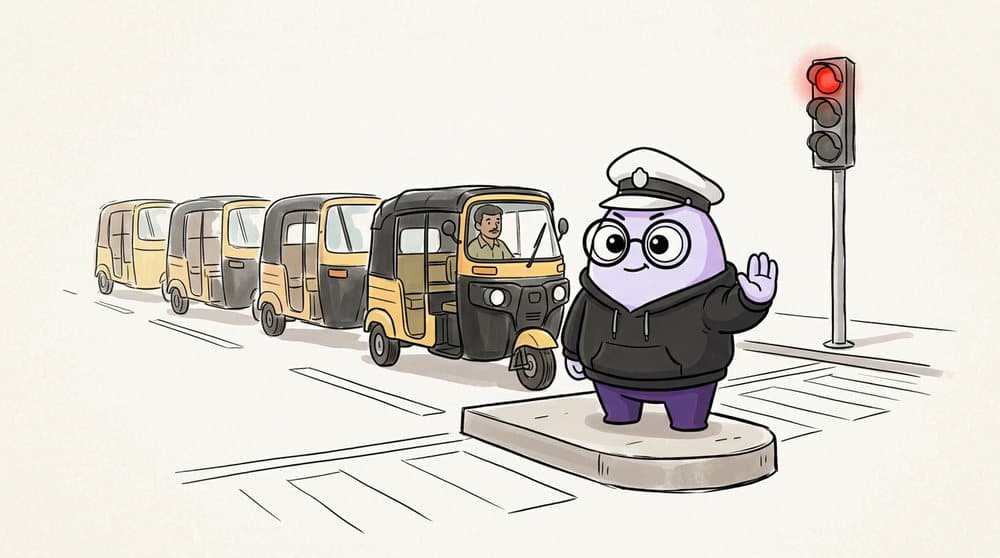
Think of it like this
The traffic signal
At a signal, drivers follow simple rules: if it's red, stop; else if it's yellow, slow down; else go. Nobody follows all three at once; the first rule that matches decides. if, else if and else work exactly like that.
Watch it happen
Deciding a grade for 72 marks
1/4Is 72 at least 90? No, so skip this branch.
The big ideas
What you need to know
if, else if, else
Checks run top to bottom. The first true condition runs its block, and the rest are skipped.
Use === not ==
=== checks value and type. == converts types first, so "5" == 5 is true, which causes sneaky bugs.
Truthy and falsy
0, "", null, undefined, NaN and false count as false in an if. Everything else counts as true.
switch for fixed values
When comparing one value to many exact options, like a day name or status, switch reads more cleanly. Don't forget break.
See it in code
Walk through the code
1const marks = 72;2let grade;3 4if (marks >= 90) {5 grade = "A";6} else if (marks >= 75) {7 grade = "B+";8} else if (marks >= 60) {9 grade = "B";10} else {11 grade = "C";12}13 14const result = marks >= 40 ? "Pass" : "Fail";15 16const status = "shipped";17switch (status) {18 case "packed":19 console.log("Getting ready");20 break;21 case "shipped":22 console.log("On the way");23 break;24 default:25 console.log("Check back later");26}1/4Order matters: check the highest range first. 72 lands in the >= 60 branch, so grade is "B".
Three ways to choose: if chains for ranges, the ternary for quick two-way choices, and switch for exact matches.
Save yourself the pain
Common mistakes
Oops
Writing if (marks = 90), with a single equals sign.
Do this instead
A single = assigns a value. Use === to compare: if (marks === 90).
Oops
Checking the smallest range first, like marks >= 40 before marks >= 90.
Do this instead
A score of 95 would match the first check and stop. Go from most specific (highest) to least.
Your mission
Delivery charge calculator
Quick check
What does this print? const x = "0"; if (x) { console.log("yes") } else { console.log("no") }
Go deeper
- 1Write a grade calculator that turns marks out of 100 into a grade.
- 2Rewrite a simple if/else with the ternary operator and decide which reads better.
- 3Learn which values are falsy in JavaScript, such as 0, empty string and null.
More topics at this stop
 What JavaScript Does
 Variables (let and const)
 Data Types
 Operators
 Loops
 Functions
 Arrays
 Array Methods (map, filter, reduce)
 Objects

Stuck on this topic? Ask an Insider
Get 1:1 guidance from people who've walked this exact path — on the InsideEdge app.
