In short
What if every push automatically ran your tests and checked your code? GitHub Actions does that, so broken code gets caught before it reaches main.
GitHub's built-in CI/CD system — YAML workflow files that automatically run tests, builds or deployments on events like pushes and pull requests. Workflows can run tests, linting, builds, security checks, releases, and deployments automatically, making them a foundation for repeatable engineering processes.
Think of it like this
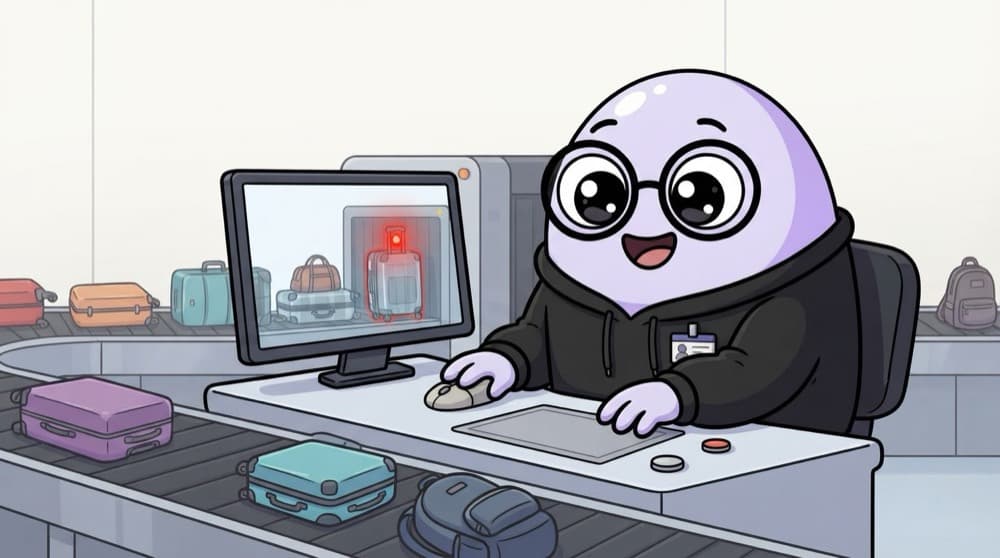
Airport security check
Every passenger goes through the same scanner before boarding, no exceptions. GitHub Actions is your project's scanner. Every push or PR goes through the same checks, and anything suspicious gets flagged before it flies.
Watch it happen
What happens when you push
1/5You push a commit or open a PR. GitHub receives a push or pull_request event.
The big ideas
What you need to know
A YAML file
Workflows live in .github/workflows/ as .yml files. GitHub finds and runs them on its own.
Triggered by events
The on: key says when to run, like on every push, on pull requests or on a schedule.
Jobs and steps
A job runs on a fresh virtual machine. Steps inside it run one after another, like commands.
Green tick or red cross
Results show on your commits and PRs. Teams often block merging until checks pass.
See it in code
Walk through the code
1# .github/workflows/ci.yml2name: CI3on: [push, pull_request]4 5jobs:6 build:7 runs-on: ubuntu-latest8 steps:9 - uses: actions/checkout@v410 - uses: actions/setup-node@v411 with:12 node-version: 2213 cache: npm14 - run: npm ci15 - run: npm run lint16 - run: npm test1/4The file's location makes it a workflow. on: runs it for every push and pull request.
uses: runs a ready-made action from the marketplace. run: runs a shell command. npm ci installs exactly what's in your lock file.
Save yourself the pain
Common mistakes
Oops
Pasting API keys straight into the workflow file.
Do this instead
Store them under Settings, Secrets and variables, Actions, and read them in the workflow as secrets.
Oops
Ignoring a red cross and merging anyway.
Do this instead
Open the failed run, read the logs of the red step, and fix it before merging.
Your mission
Your first green tick
Quick check
In a workflow file, what decides when the workflow runs?
Go deeper
- 1Add a simple workflow that runs `npm test` on every push. Test the result on both a successful path and an invalid or unexpected input.
- 2Learn the basic YAML structure: triggers, jobs, and steps. Focus on understanding the underlying reason it works, not only memorizing the definition.
- 3Explore the GitHub Actions marketplace for prebuilt actions (deploy, lint, etc.).
More topics at this stop
 Git init
 Clone
 Commit
 Branch
 Merge
 Rebase
 Cherry Pick
 Stash
 Pull Request
 Conflict Resolution

Stuck on this topic? Ask an Insider
Get 1:1 guidance from people who've walked this exact path — on the InsideEdge app.
