In short
Your feature works on its branch. Now it needs to go back into main. Merging joins the two lines of work into one.
`git merge` combines the history of one branch into another, creating a merge commit (or fast-forwarding) to bring the changes together. Merge preserves the relationship between histories and is particularly useful when multiple lines of development need to be brought together explicitly.
Think of it like this
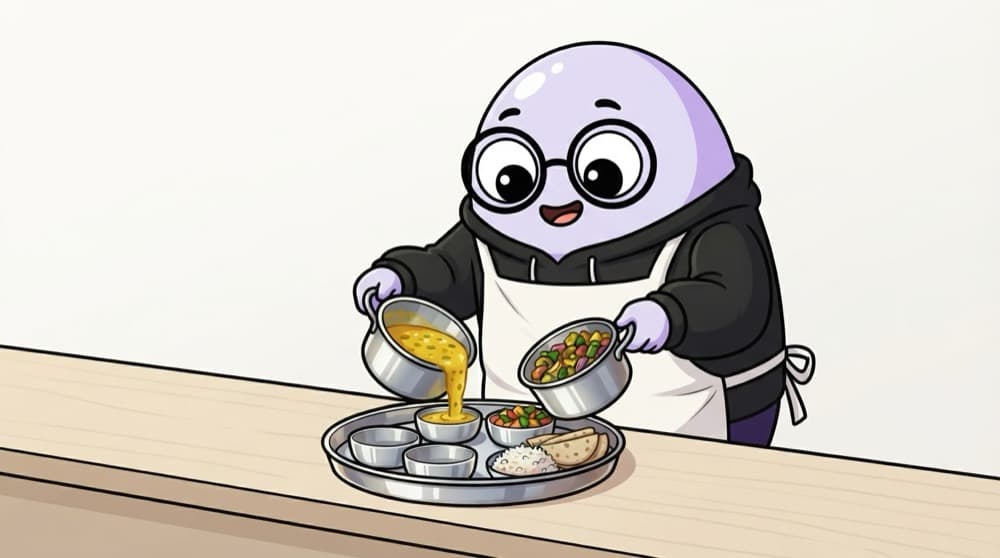
Two cooks, one thali
In a hostel mess, one cook makes dal while another makes sabzi. At lunchtime both go onto the same thali. Merging is that moment. Usually it just works. Trouble only comes if both cooks changed the same dish.
Watch it happen
Merging a finished feature
1/5Everything on feature/dark-mode is committed. Nothing is left half-done.
The big ideas
What you need to know
Fast-forward merge
If main hasn't moved since you branched, Git simply slides main forward to your latest commit.
Merge commit
If both branches have new commits, Git makes a special commit that joins them, with two parents.
Merge into where you stand
Switch to the branch that should receive the changes (usually main), then merge the other one in.
Same lines means conflict
If both sides edited the same lines, Git stops and asks you to pick. That's a merge conflict.
See it in code
Walk through the code
1git switch main2git pull # get the latest main3git merge feature/dark-mode # bring the feature in4 5git log --oneline --graph -10 # see how the lines joined6git push7 8git branch -d feature/dark-mode1/4Stand on main and update it, so you merge into what your team has right now.
The --graph flag draws the branches as lines in your terminal, so you can actually see where they split and joined.
Save yourself the pain
Common mistakes
Oops
Running git merge main while standing on main and expecting the feature to arrive.
Do this instead
Merge brings the named branch into your current one. Stand on main, then merge the feature branch.
Oops
Merging into an old copy of main.
Do this instead
Run git pull on main first, so you merge into what your team has right now.
Your mission
See both kinds of merge
Quick check
You merge a branch into main and Git says 'Fast-forward'. What happened?
Go deeper
- 1Merge a feature branch into `main` and inspect the resulting commit graph. Validate your understanding by applying it in a small practical example.
- 2Learn the difference between a fast-forward merge and a 3-way merge. Focus on understanding the underlying reason it works, not only memorizing the definition.
- 3Deliberately create a merge conflict in a sandbox repo to practice resolving it.
More topics at this stop
 Git init
 Clone
 Commit
 Branch
 Rebase
 Cherry Pick
 Stash
 Pull Request
 Conflict Resolution
 GitHub Actions basics

Stuck on this topic? Ask an Insider
Get 1:1 guidance from people who've walked this exact path — on the InsideEdge app.
