In short
In a team, you don't push straight to main. You open a pull request so others can review your code before it goes in. It's how almost every company ships.
A GitHub/GitLab workflow feature that proposes merging one branch into another, enabling code review, discussion and CI checks before the merge happens. A pull request is both a collaboration mechanism and a quality gate where reviewers can inspect changes, CI can validate them, and discussion can capture decisions.
Think of it like this
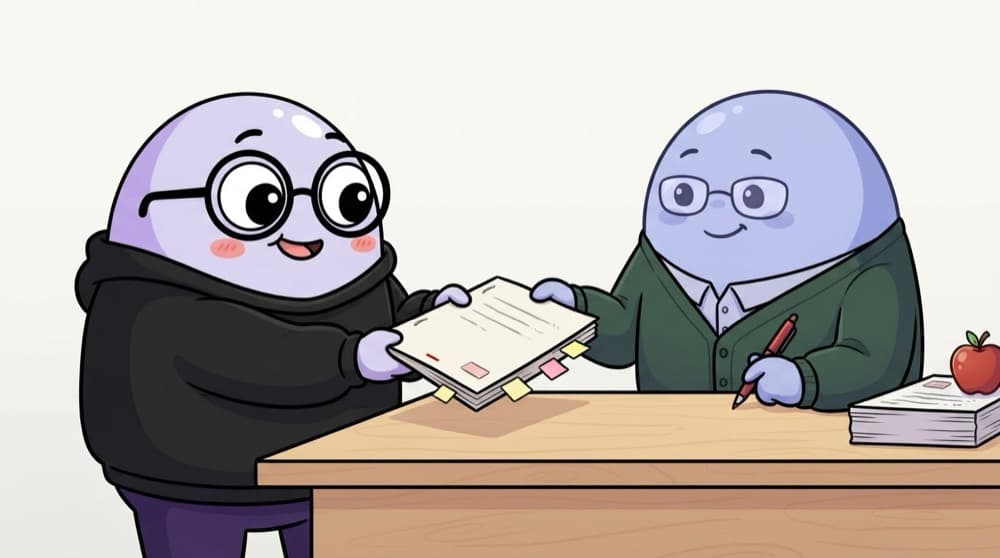
Submitting your assignment for checking
You don't write your marks yourself. You submit the assignment, the teacher reads it, leaves comments, you fix things, and then it's accepted. A pull request is that submission, with your teammates as the checkers.
Watch it happen
From branch to merged PR
git push -u origin ...
1/6Your feature branch goes up to GitHub.
The big ideas
What you need to know
A request to merge
A PR says 'please merge my branch into main'. It shows every change line by line.
Review happens here
Teammates comment on specific lines, suggest changes and approve when happy.
Keep pushing to update
New commits on the same branch show up in the PR automatically. No need to open a new one.
Describe what and why
A good PR says what changed, why, and how to test it. Screenshots help for UI work.
See it in code
Walk through the code
1git switch -c feature/contact-form2# ...commit your work...3git push -u origin feature/contact-form4 5# Or open the PR from the terminal with GitHub CLI6gh pr create --title "Add contact form" \7 --body "Adds form with email validation. Test: submit an empty form."8 9gh pr status # see checks and reviews1/3Do the work on its own branch, then push that branch to GitHub.
The -u flag links your local branch to the remote one, so next time a plain git push is enough.
Save yourself the pain
Common mistakes
Oops
Opening a PR with 40 files and 2,000 changed lines.
Do this instead
Keep PRs small and focused. Reviewers catch more and approve faster.
Oops
Leaving the description empty.
Do this instead
Write what changed, why, and how to test it. Add a screenshot if the UI changed.
Your mission
Open your first PR
Quick check
A reviewer asks for a change on your open PR. What should you do?
Go deeper
- 1Open a pull request on a personal repo, even solo, to practice the flow. Inspect at least one real example and note what each important field or stage represents.
- 2Write a clear PR description: what changed, why, and how to test it. Validate your understanding by applying it in a small practical example.
- 3Practice leaving and responding to review comments on someone else's open-source PR.
More topics at this stop
 Git init
 Clone
 Commit
 Branch
 Merge
 Rebase
 Cherry Pick
 Stash
 Conflict Resolution
 GitHub Actions basics

Stuck on this topic? Ask an Insider
Get 1:1 guidance from people who've walked this exact path — on the InsideEdge app.
