In short
Modals, tooltips and toasts often get clipped by a parent's overflow: hidden or buried under z-index. Portals render them somewhere else in the DOM while keeping them in your component.
`createPortal` renders a component's children into a DOM node outside its parent hierarchy — the standard way to build modals, tooltips and dropdowns that need to escape overflow/z-index constraints.
Think of it like this
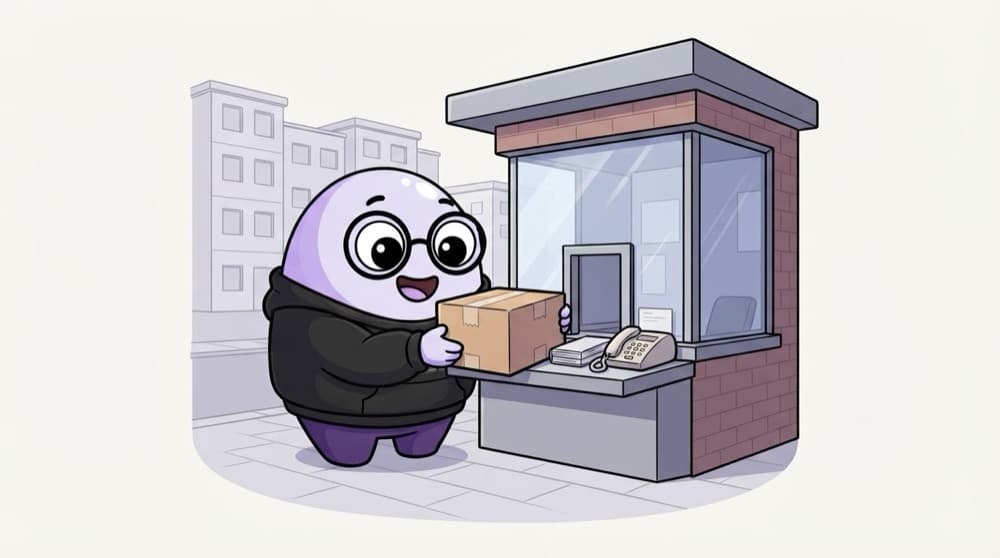
Parcel kept at the society gate
Your Amazon parcel waits at the security cabin, not outside your flat. It sits somewhere else, but it's still yours, with your name on it. A portal puts a modal's HTML at the end of body, while React still treats it as your component's child.
Watch it happen
Where the modal's HTML really lives
1/4In your JSX, the modal is written inside Card, and Card has overflow: hidden.
The big ideas
What you need to know
createPortal(jsx, node)
It renders the JSX inside any DOM node you choose, usually document.body.
Still a React child
Props, state and context all work as normal, because in React's tree the portal stays where you wrote it.
Events bubble the React way
A click inside the portal bubbles up to its React parents, even though the DOM elements live elsewhere.
Handle focus and Escape
Portals fix position, not accessibility. Keep focus inside modals and close them on Escape, or use the native <dialog>.
See it in code
Walk through the code
1import type { ReactNode } from "react";2import { createPortal } from "react-dom";3 4type Props = { open: boolean; onClose: () => void; children: ReactNode };5 6export function Modal({ open, onClose, children }: Props) {7 if (!open) return null;8 return createPortal(9 <div className="backdrop" onClick={onClose}>10 <div className="modal" onClick={(e) => e.stopPropagation()}>11 {children}12 </div>13 </div>,14 document.body,15 );16}1/4When open is false, the modal renders nothing at all.
Clicking the backdrop closes the modal, and stopPropagation stops clicks inside the box from reaching it. Even inside a card with overflow: hidden, it never gets clipped.
Save yourself the pain
Common mistakes
Oops
Fighting overflow: hidden by giving a modal inside a card z-index: 99999.
Do this instead
z-index can't escape a clipped or stacked parent. Render the modal through a portal into document.body.
Oops
Touching document.body while a Next.js page renders on the server.
Do this instead
document doesn't exist on the server. Render the portal only after the component has mounted in the browser.
Your mission
A modal that can't be clipped
Quick check
A button inside a portal modal is clicked. The modal's React parent has an onClick. Does it fire?
Go deeper
- 1Build a modal component using `createPortal` into a `#modal-root` div.
- 2Notice that events still bubble through the React tree, not the DOM tree.
- 3Compare a portal-based modal to one nested normally to see the z-index/overflow issues it solves.
More topics at this stop
 JSX
 Components
 Props
 State
 Lifecycle
 Hooks
 Context API
 React Router
 Forms
 Controlled Components
 Refs
 Memoization
 Error Boundaries
 Lazy Loading
 Suspense
 Custom Hooks
 Render Props
 HOC
 React Patterns

Stuck on this topic? Ask an Insider
Get 1:1 guidance from people who've walked this exact path — on the InsideEdge app.
