In short
Add 0.1 and 0.2 as doubles and Java prints 0.30000000000000004. Tiny errors like that add up across thousands of transactions, which is why every payment and banking codebase uses BigDecimal for money.
double cannot store values like 0.1 exactly, so money calculations drift. BigDecimal stores exact decimal values and lets you choose the scale and rounding mode, which is why banking and payment code uses it.
Think of it like this
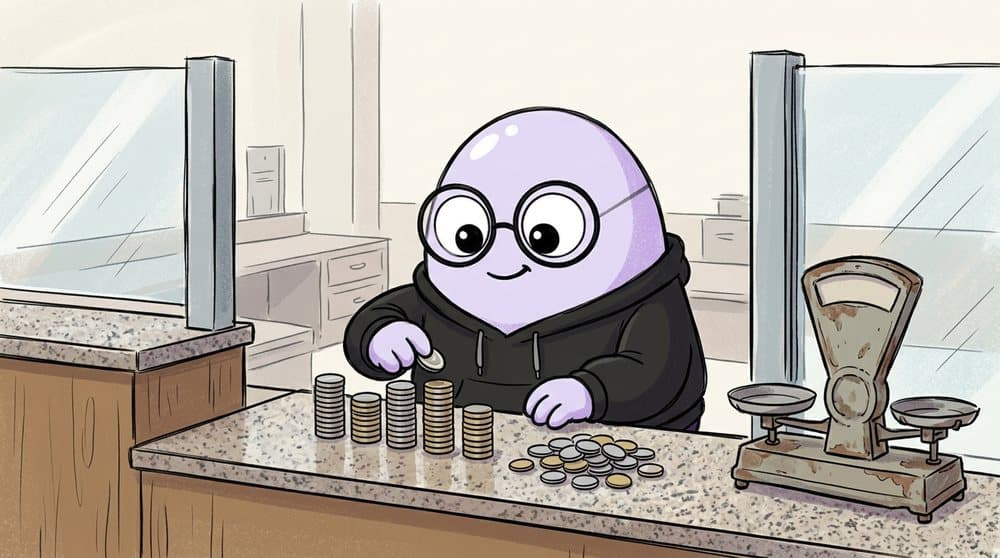
Counting coins, not weighing them
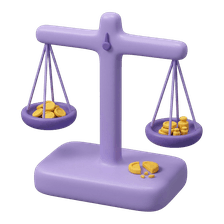
A busy shopkeeper could weigh a bag of coins to guess the total. It's fast, but always slightly off. A bank cashier counts every coin exactly and decides up front how to round paise. double is the weighing scale; BigDecimal is the cashier.
Watch it happen
Billing 3 items at ₹499.99 with 18% GST
1/5new BigDecimal("499.99") stores exactly 499.99. Never start from the double 499.99.
The big ideas
What you need to know
double is binary
Values like 0.1 have no exact binary form, so double arithmetic drifts. Fine for physics, wrong for rupees.
Create from String
Use new BigDecimal("0.1") or BigDecimal.valueOf(0.1). new BigDecimal(0.1) captures the double's error exactly.
Scale and rounding
setScale(2, RoundingMode.HALF_UP) fixes two decimal places. divide() needs a scale and rounding mode or it may throw ArithmeticException.
compareTo, not equals
2.0 and 2.00 differ in scale, so equals() says false. compareTo() == 0 checks numeric equality.
See it in code
Walk through the code
1import java.math.BigDecimal;2import java.math.RoundingMode;3 4public class BillCalculator {5 public static void main(String[] args) {6 System.out.println(0.1 + 0.2); // 0.300000000000000047 8 BigDecimal price = new BigDecimal("499.99");9 BigDecimal qty = BigDecimal.valueOf(3);10 BigDecimal gstRate = new BigDecimal("0.18");11 12 BigDecimal subtotal = price.multiply(qty); // 1499.9713 BigDecimal gst = subtotal.multiply(gstRate)14 .setScale(2, RoundingMode.HALF_UP); // 269.9915 BigDecimal total = subtotal.add(gst); // 1769.9616 17 BigDecimal perPerson = total.divide(BigDecimal.valueOf(4), 2, RoundingMode.HALF_UP);18 System.out.println("Total: ₹" + total + ", each pays ₹" + perPerson); // 442.4919 20 System.out.println(new BigDecimal("2.0").equals(new BigDecimal("2.00"))); // false21 System.out.println(new BigDecimal("2.0").compareTo(new BigDecimal("2.00"))); // 022 }23}1/4The classic double surprise, the reason this lesson exists.
An exact GST bill split four ways. Every operation returns a new BigDecimal.
Save yourself the pain
Common mistakes
Oops
Writing new BigDecimal(0.1).
Do this instead
Use new BigDecimal("0.1") or BigDecimal.valueOf(0.1). The double constructor keeps the binary error.
Oops
Calling total.add(gst); and expecting total to change.
Do this instead
BigDecimal is immutable. Write total = total.add(gst);.
Oops
Checking amounts with equals() when scales may differ.
Do this instead
Use a.compareTo(b) == 0 to check if two amounts are numerically the same.
Your mission
Fix a buggy EMI calculator
Quick check
What does new BigDecimal("10").divide(new BigDecimal("3")) do?
Go deeper
- 1Add 0.1 and 0.2 as doubles and as BigDecimal and compare the results.
- 2Calculate 18% GST on a rupee amount with BigDecimal and RoundingMode.HALF_UP.
- 3Learn why you should create BigDecimal from a String, not from a double.
More topics at this stop
 The Object Class (equals, hashCode, toString)
 Wrapper Classes & Autoboxing
 String Immutability & the String Pool
 Enums
 Records
 Date & Time API (java.time)
 Pattern Matching (instanceof & switch)

Stuck on this topic? Ask an Insider
Get 1:1 guidance from people who've walked this exact path — on the InsideEdge app.
