
The Object Class (equals, hashCode, toString)
Part of the Java Roadmap
In short
Every class you write quietly inherits three methods from Object. Get equals() and hashCode() wrong and your HashSet keeps duplicates, your HashMap loses values, and nobody can tell why.
Every class extends Object. Overriding equals() and hashCode() together is essential for correct behaviour in HashMap and HashSet, and toString() gives readable output.
Think of it like this
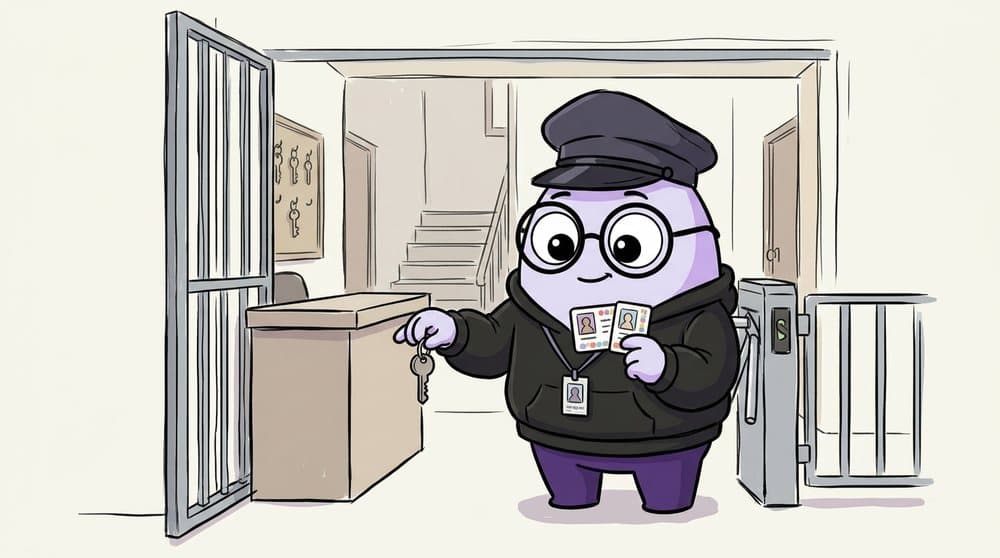
The hostel warden's ID check
A hostel warden doesn't care whether two students wear the same shirt. She checks the roll number on the ID card (equals). Each roll number maps to one locker block (hashCode), so she only searches that block. The name badge on the shirt is just for reading (toString).
Watch it happen
What HashSet.add() does with your object
1/4add(new Student("CS101", "Priya")) first calls hashCode() on the new object.
The big ideas
What you need to know
== vs equals()
== asks "same object in memory?". equals() asks "same meaning?". Object's default equals() is just ==, so override it for value-like classes.
The hashCode contract
If two objects are equal, they must return the same hashCode. Always override both together, using the same fields.
toString() for humans
The default prints something like Student@1b6d3586. Override it so logs and debugging show useful data.
Let tools help
Objects.equals() and Objects.hash() handle nulls. IntelliJ can generate all three methods, and records generate them for you.
See it in code
Walk through the code
1import java.util.HashSet;2import java.util.Objects;3import java.util.Set;4 5public class Student {6 private final String rollNo;7 private final String name;8 9 public Student(String rollNo, String name) {10 this.rollNo = rollNo;11 this.name = name;12 }13 14 @Override15 public boolean equals(Object o) {16 if (this == o) return true;17 if (!(o instanceof Student other)) return false;18 return rollNo.equals(other.rollNo);19 }20 21 @Override22 public int hashCode() {23 return Objects.hash(rollNo);24 }25 26 @Override27 public String toString() {28 return "Student[" + rollNo + ", " + name + "]";29 }30 31 public static void main(String[] args) {32 Set<Student> set = new HashSet<>();33 set.add(new Student("CS101", "Priya"));34 set.add(new Student("CS101", "Priya"));35 System.out.println(set.size()); // 136 System.out.println(set); // [Student[CS101, Priya]]37 }38}1/4equals(): same object is a quick yes, a non-Student is a no, otherwise compare roll numbers.
Two students with the same roll number count as one. equals() and hashCode() use the same field, so HashSet behaves.
Save yourself the pain
Common mistakes
Oops
Overriding equals() but not hashCode().
Do this instead
Always override both. Otherwise two equal objects land in different buckets and HashSet keeps both.
Oops
Writing equals(Student other) as the parameter type.
Do this instead
The signature must be equals(Object o), or you overload instead of override. @Override catches this mistake at compile time.
Oops
Using a field that can change (like marks) inside hashCode().
Do this instead
Base equals() and hashCode() on stable identity fields. If the hash changes after insertion, the map can't find the object again.
Your mission
Break it, then fix it
Quick check
Two objects return true from equals(). What must be true about their hashCode() values?
Go deeper
- 1Override equals() and hashCode() in a class and test it in a HashSet.
- 2Break the rule by overriding only equals() and see what goes wrong.
- 3Use Objects.equals() and Objects.hash() as helpers.
More topics at this stop
 Wrapper Classes & Autoboxing
 String Immutability & the String Pool
 Enums
 Records
 BigDecimal for Money
 Date & Time API (java.time)
 Pattern Matching (instanceof & switch)

Stuck on this topic? Ask an Insider
Get 1:1 guidance from people who've walked this exact path — on the InsideEdge app.
