In short
Figma is where most UI design happens today, and it runs right in your browser. Learn frames, layers and a few shortcuts, and every other skill in this roadmap gets easier.
The industry-standard design tool — frames, layers, shapes, and the core editing tools every other Figma skill builds on.

Think of it like this
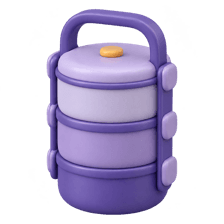
A stacked tiffin box
A tiffin has containers, and each container holds its own food, sometimes with a small katori inside. Figma works the same way: frames hold layers, and frames can sit inside other frames.
Watch it happen
The layers panel for a product card
1/4A Figma file has pages. Each page is a big canvas, like separate sheets for different flows.
The big ideas
What you need to know
Frames, not groups
Use frames for screens and containers. They clip content, hold layout grids and support auto layout.
Name your layers
'Rectangle 47' tells nobody anything. 'Price' or 'Buy button' helps teammates and developers.
A few shortcuts
F for frame, R for rectangle, T for text, Shift+A for auto layout. They save hours.
Built for teams
Multiple people can work in the same file at once and leave comments right on the design.
Save yourself the pain
Common mistakes
Oops
Drawing loose shapes on the canvas without frames.
Do this instead
Start every screen with a frame at a real device size, then build inside it.
Oops
Leaving hundreds of unnamed layers.
Do this instead
Rename important layers as you go. Clean layers make components and handoff painless.
Your mission
Rebuild one real screen
Quick check
Why use a frame instead of a group for a card?
Go deeper
- 1Complete a beginner Figma tutorial covering frames, layers, and basic shape tools.
- 2Practice organizing a file with clearly named layers and frames, not a messy unlabeled mess.
- 3Learn Figma's keyboard shortcuts for the tools you'll use most often.
More topics at this stop
 Low-Fidelity Wireframing
 High-Fidelity Mockups
 Interactive Prototyping
 Figma Components & Variants
 Auto Layout in Figma
 Prototyping Interactions & Transitions
 Design Handoff to Developers
 Rapid Prototyping Techniques

Stuck on this topic? Ask an Insider
Get 1:1 guidance from people who've walked this exact path — on the InsideEdge app.
