In short
Style a link when it's hovered, an input when it's focused, or every second row of a table, all without adding a single class in your HTML.
Selectors like `:hover`, `:focus`, `:nth-child()` and `:not()` that target elements based on state or position, without adding extra markup or classes. Pseudo-classes are particularly important for interactive accessibility because visible focus, disabled states, validation states, and logical selection states should be communicated without extra markup.

Think of it like this
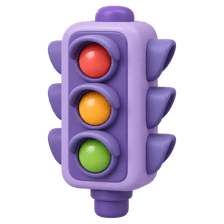
A traffic signal's moods
It's the same signal pole all day, but it looks different depending on its state: red, amber, green. Pseudo-classes target an element's state or position, like :hover, :focus or :first-child, without changing the HTML.
Watch it happen
Picking list items without extra classes
1/4li:first-child picks only the first item.
The big ideas
What you need to know
User action states
:hover, :active and :focus-visible react to the mouse and keyboard. :focus-visible shows focus rings only for keyboard users.
Position in a list
:first-child, :last-child and :nth-child(2n) pick elements by where they sit among siblings.
Form states
:checked, :disabled, :required and :user-invalid style form fields based on their current state.
:has() checks inside
.card:has(img) styles a card only if it contains an image. A 'parent selector' CSS lacked for years.
See it in code
Walk through the code
1a:hover { text-decoration: underline; }2 3button:focus-visible {4 outline: 3px solid #ec4899;5 outline-offset: 2px;6}7 8tr:nth-child(even) { background: #fdf2f8; } /* zebra rows */9 10li:not(:last-child) { border-bottom: 1px solid #eee; }11 12input:disabled { opacity: 0.5; cursor: not-allowed; }13 14.card:has(img) { padding-top: 0; }1/4:hover applies while the pointer is over the link.
li:not(:last-child) adds a divider between items but skips the last one. No extra classes needed.
Save yourself the pain
Common mistakes
Oops
Writing outline: none on :focus to hide the ugly ring.
Do this instead
Restyle it with :focus-visible. Keyboard users need to see where they are.
Oops
Adding classes like 'odd' and 'even' to every table row.
Do this instead
Use :nth-child(odd) and :nth-child(even). CSS can count for you.
Your mission
No-class styling
Quick check
Which selector targets every 3rd item in a list?
Go deeper
- 1Style `:hover`, `:focus` and `:active` states for every interactive element. Validate your understanding by applying it in a small practical example.
- 2Use `:nth-child(odd)` to zebra-stripe a table without extra classes. Verify the behavior with realistic data and handle the failure or empty state as well.
- 3Learn `:not()` and `:has()` for more advanced, markup-free targeting.
More topics at this stop
 Selectors
 Box Model
 Flexbox
 Grid
 Position
 Display
 Units
 Media Queries
 Animations
 Transitions
 Transform
 Variables
 Responsive Design
 Pseudo elements
 CSS Architecture
 BEM

Stuck on this topic? Ask an Insider
Get 1:1 guidance from people who've walked this exact path — on the InsideEdge app.
