In short
Without transitions, a button just snaps to its hover colour. With one line of CSS, it glides. That tiny smoothness is what makes a UI feel polished.
The `transition` property smoothly animates a property change (like a hover color or size) over a set duration instead of jumping instantly. Transitions are best for changes between two states, such as hover or focus, while keyframe animations are better for multi-step or repeating sequences.
Think of it like this
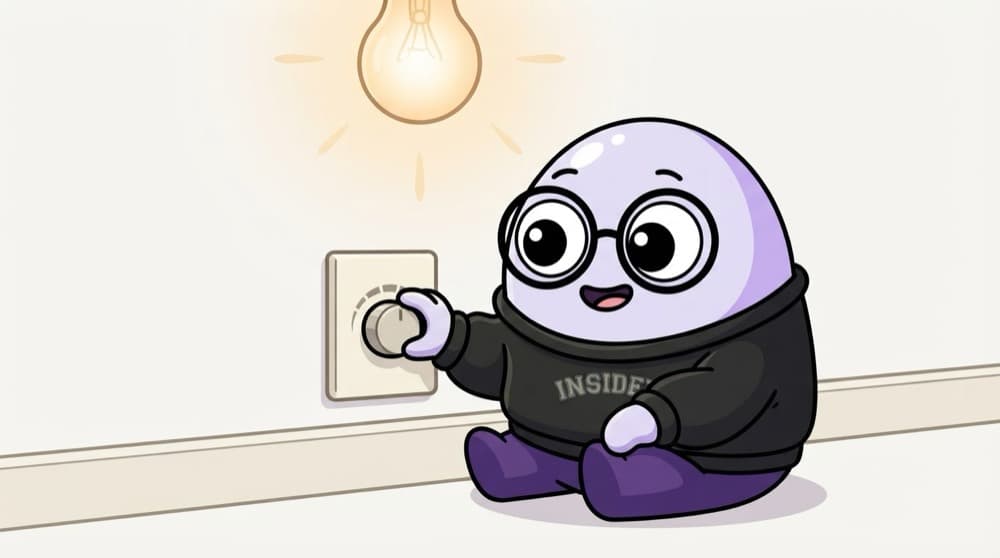
A dimmer switch vs a normal switch
A normal switch goes off to on in a snap. A dimmer slowly brightens the room. A transition is the dimmer: when a style changes, like on hover, the browser fades from the old value to the new one over the time you set.
Watch it happen
A hover, in and out
hover
1/5The pointer moves over the button, so the :hover styles now apply.
The big ideas
What you need to know
Needs a change to trigger
Transitions play when a value changes, for example on :hover, :focus, or when JS adds a class.
Name what to transition
transition: background-color 200ms ease. List specific properties instead of all.
Keep it short
Most UI transitions feel right somewhere around 150 to 300ms. Longer starts to feel slow.
Transition vs animation
A transition goes from A to B once, when something changes. An animation can have many steps and loop on its own.
See it in code
Walk through the code
1.btn {2 background: #ec4899;3 transform: translateY(0);4 transition: background-color 200ms ease,5 transform 200ms ease;6}7 8.btn:hover,9.btn:focus-visible {10 background: #db2777;11 transform: translateY(-2px);12}13 14.menu { opacity: 0; transition: opacity 250ms; }15.menu.open { opacity: 1; }1/3The base rule lists exactly which properties should animate, and for how long.
Put the transition on the normal state, not the :hover state, so it animates both when you hover in and when you leave.
Save yourself the pain
Common mistakes
Oops
Writing transition: all 0.3s on everything.
Do this instead
List the properties you mean. 'all' can animate things you didn't plan, like layout changes.
Oops
Adding the transition only inside :hover.
Do this instead
Then it only animates on the way in. Put it on the base rule so it works both ways.
Your mission
Polish five buttons
Quick check
Your button fades in nicely on hover but snaps back instantly when the mouse leaves. Why?
Go deeper
- 1Add a smooth hover transition to buttons and links. Test the result on both a successful path and an invalid or unexpected input.
- 2Practice `transition-property`, `duration` and `easing` together. Test it with at least one normal case and one edge case so you can explain the behavior confidently.
- 3Learn why animating `transform`/`opacity` performs better than `width`/`top`.
More topics at this stop
 Selectors
 Box Model
 Flexbox
 Grid
 Position
 Display
 Units
 Media Queries
 Animations
 Transform
 Variables
 Responsive Design
 Pseudo classes
 Pseudo elements
 CSS Architecture
 BEM

Stuck on this topic? Ask an Insider
Get 1:1 guidance from people who've walked this exact path — on the InsideEdge app.
