In short
Your feature works on its branch. Now it has to join main so it can ship. Merge is how two lines of work become one.
`git merge` combines the history of one branch into another, creating a merge commit (or fast-forwarding) to bring the changes together.
Think of it like this
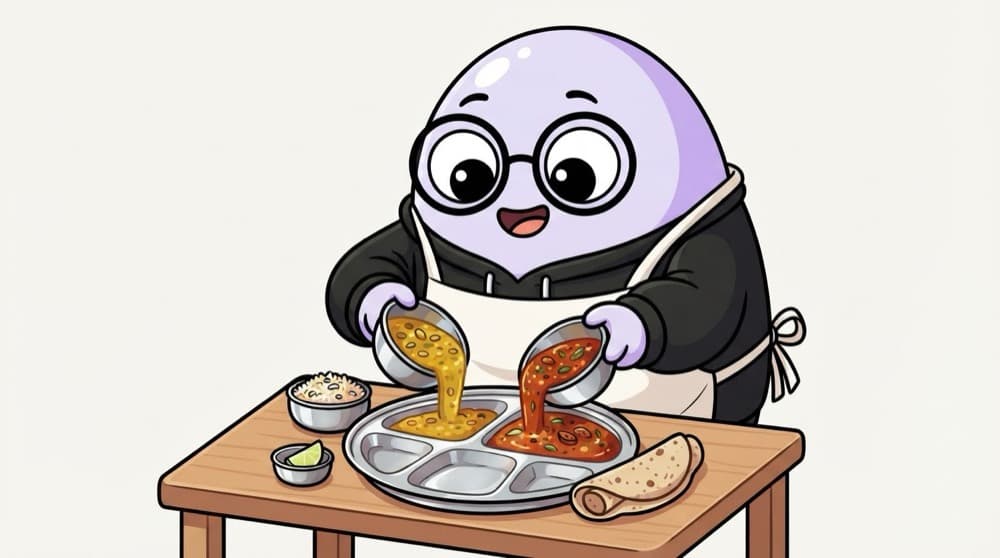
Two cooks, one thali
One cook makes dal, another makes sabzi, in separate kitchens. At serving time, both go into the same thali. Nothing is thrown away. git merge brings the work of two branches together onto one plate.
Watch it happen
Two kinds of merge
Fast-forward
- main had no new commits
- main pointer simply slides ahead
- No extra merge commit created
Three-way merge
- Both branches got new commits
- Git combines them using the common ancestor
- Creates a merge commit with two parents
Git picks automatically. Use --no-ff if your team wants a merge commit every time for clarity.
The big ideas
What you need to know
Merge into where you are
git merge feature/login brings that branch into your current branch. So switch to main first.
Merge commits have two parents
That's how Git remembers that two lines of work joined at this point.
Conflicts are normal
If both sides changed the same lines, Git stops and asks you to pick. It's not an error, just a question.
Pull main first
Before merging locally, git pull on main so you merge into the latest version, not an old copy.
See it in code
Walk through the code
1git switch main2git pull # get the latest main3 4git merge feature/login # bring login work in5# Fast-forward or "Merge made by the 'ort' strategy."6 7git log --oneline --graph -6 # see the join8git push # share the merged main9git branch -d feature/login1/3Stand on main and make sure it's up to date before merging anything into it.
ort is Git's default merge strategy today. You don't need to choose it; it's just what the message says.
Save yourself the pain
Common mistakes
Oops
Running git merge main while on main, and wondering why nothing happens.
Do this instead
Switch to the branch that should receive the work, then merge the other branch name into it.
Oops
Panicking at a conflict and deleting the whole folder.
Do this instead
Run git merge --abort to go back to before the merge, then try again calmly.
Your mission
Both kinds of merge
Quick check
main has no new commits since you branched. You merge your branch into main. What happens?
Go deeper
- 1Merge a feature branch into `main` and inspect the resulting commit graph.
- 2Learn the difference between a fast-forward merge and a 3-way merge.
- 3Deliberately create a merge conflict in a sandbox repo to practice resolving it.
More topics at this stop
 Git init
 Clone
 Commit
 Branch
 Rebase
 Cherry Pick
 Stash
 Pull Request
 Conflict Resolution
 GitHub Actions basics

Stuck on this topic? Ask an Insider
Get 1:1 guidance from people who've walked this exact path — on the InsideEdge app.
