In short
A function in JavaScript carries a little backpack of the variables around it. That backpack is a closure, and it powers counters, private data and a lot of how React hooks behave.
A function that 'remembers' variables from the scope it was created in, even after that outer function has finished running — the basis of private state and many patterns. Closures allow functions to retain access to lexical state and are central to callbacks, factories, event handlers, encapsulation, memoization, and asynchronous code.
Think of it like this
The dabbawala's code
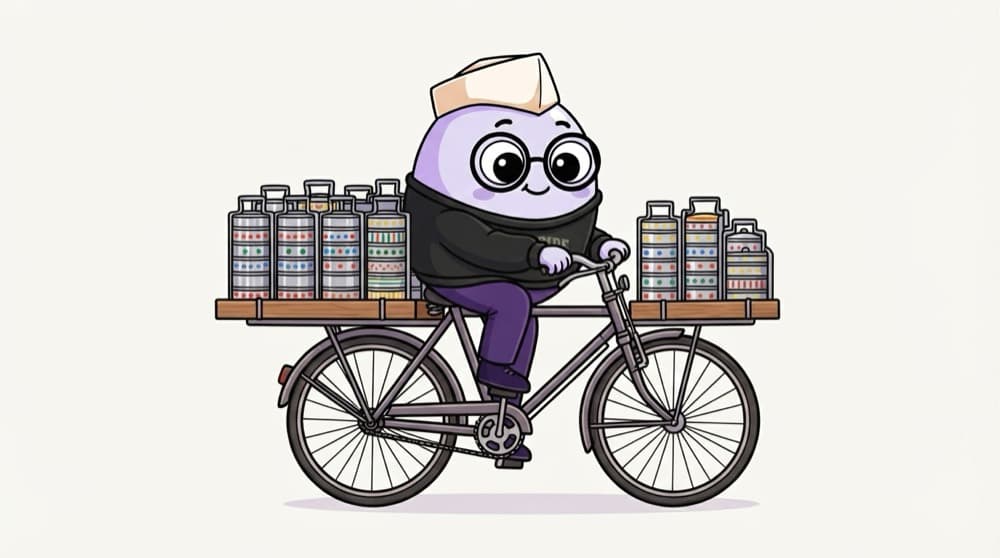
A dabbawala picks up your tiffin in the morning. Hours later, across the city, he still knows exactly whose it is because the code is painted on the lid. A closure is a function carrying its home's variables with it, long after it left home.
Watch it happen
The counter that remembers
let count = 0
1/6makeCounter runs and creates a variable called count.
The big ideas
What you need to know
Functions remember
A function keeps access to the variables of the place it was created, even after that outer function has finished.
It's a live link, not a copy
If the remembered variable changes, the function sees the new value. It doesn't freeze a snapshot.
Private state for free
Variables inside the outer function can't be touched from outside. Only the returned function can change them.
Each call makes a fresh backpack
Call the outer function twice and you get two separate closures with their own variables.
See it in code
Walk through the code
1function makeCounter() {2 let count = 0; // private, nobody outside can touch it3 return () => {4 count++;5 return count;6 };7}8 9const tapCounter = makeCounter();10console.log(tapCounter()); // 111console.log(tapCounter()); // 212 13const another = makeCounter();14console.log(another()); // 1 (its own separate count)1/4count is created inside makeCounter, so nothing outside can touch it.
makeCounter has finished running, yet count lives on because the returned arrow function still needs it. That surviving link is the closure.
Save yourself the pain
Common mistakes
Oops
Using var in a loop with setTimeout and getting the last value every time.
Do this instead
Use let. It creates a fresh variable for each loop round, so each callback remembers its own value.
Oops
Thinking a closure saves the value at the moment it was created.
Do this instead
It holds a reference to the variable. Change the variable later and the closure sees the change.
Your mission
Build a once() helper
Quick check
What does this log? for (var i = 0; i < 3; i++) setTimeout(() => console.log(i), 0);
Go deeper
- 1Write a counter function that returns an increment function using a closure. Validate your understanding by applying it in a small practical example.
- 2Explain in your own words why closures 'remember' outer variables. Validate your understanding by applying it in a small practical example.
- 3Spot closures in real code — debounce, memoization and module patterns all use them.
More topics at this stop
 Variables
 Datatypes
 Operators
 Functions
 Scope
 Hoisting
 this keyword
 Objects
 Arrays
 Methods
 Loops
 DOM
 Events
 Promises
 Callbacks
 Async Await
 Modules
 Classes
 Prototype
 OOP
 Error Handling
 Debouncing
 Throttling
 Event Delegation
 Execution Context
 Call Stack
 Memory
 Garbage Collection
 ES6+
 Map
 Set
 WeakMap
 WeakSet
 Generators
 Iterators

Stuck on this topic? Ask an Insider
Get 1:1 guidance from people who've walked this exact path — on the InsideEdge app.
