In short
Clicks, key presses, scrolls, form submits: every user action fires an event. Listening for the right ones and reacting is basically what makes a website interactive.
The mechanism (`addEventListener`) that lets JavaScript react to user actions — clicks, key presses, form submissions — and drives all interactivity. Events follow a propagation model that includes capturing, target, and bubbling phases, so understanding propagation is essential for reliable interactive interfaces.
Think of it like this
The doorbell
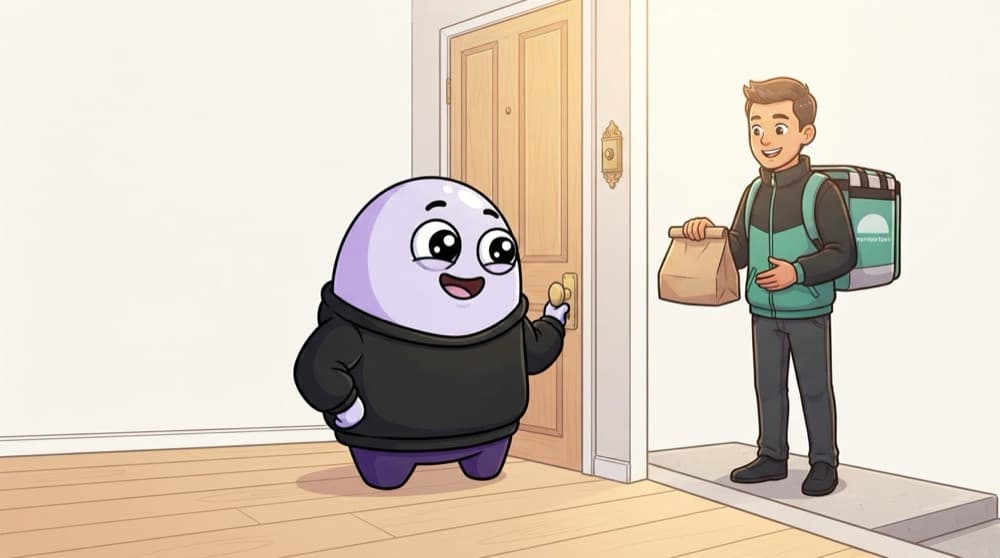
You don't stand at the door all day waiting for the Swiggy guy. You get on with your work, and when the bell rings, you react. addEventListener installs the doorbell: when this happens, run this function.
Watch it happen
A click travels down, then bubbles up
1/5You click the button. The browser creates one click event at the top.
The big ideas
What you need to know
addEventListener
el.addEventListener("click", handler) runs handler every time el is clicked. You can add many listeners to one element.
The event object
Your handler receives an event with details: event.target is the element hit, event.key is the key pressed.
preventDefault
Stops the browser's built-in action, like a form reloading the page or a link opening a new URL.
Events bubble up
A click on a button also reaches its parent, then the parent's parent, all the way up to document.
See it in code
Walk through the code
1const form = document.querySelector("#login");2const input = document.querySelector("#email");3 4form.addEventListener("submit", (event) => {5 event.preventDefault(); // stop the page reload6 console.log("Submitted:", input.value);7});8 9input.addEventListener("keydown", (event) => {10 if (event.key === "Enter") console.log("Enter pressed");11});12 13document.body.addEventListener("click", (event) => {14 console.log("Clicked on:", event.target.tagName);15});1/4Grab the form and the email input.
Listeners run in the bubble phase by default. That's why the body listener hears clicks from every element inside it.
Save yourself the pain
Common mistakes
Oops
Writing btn.addEventListener("click", handleClick()).
Do this instead
The () calls it immediately and passes the result. Pass the function itself: addEventListener("click", handleClick).
Oops
Trying to remove a listener that was added as an inline arrow function.
Do this instead
removeEventListener needs the same function reference. Store the handler in a variable first.
Your mission
Make a page that reacts
Quick check
A <button> sits inside a <div>. Both have click listeners. You click the button. What runs?
Go deeper
- 1Add click, input and submit listeners to a small form and log the event object. Test the result on both a successful path and an invalid or unexpected input.
- 2Learn `event.preventDefault()` and `event.stopPropagation()`. Focus on understanding the underlying reason it works, not only memorizing the definition.
- 3Practice removing listeners with `removeEventListener` to avoid memory leaks.
More topics at this stop
 Variables
 Datatypes
 Operators
 Functions
 Scope
 Hoisting
 Closures
 this keyword
 Objects
 Arrays
 Methods
 Loops
 DOM
 Promises
 Callbacks
 Async Await
 Modules
 Classes
 Prototype
 OOP
 Error Handling
 Debouncing
 Throttling
 Event Delegation
 Execution Context
 Call Stack
 Memory
 Garbage Collection
 ES6+
 Map
 Set
 WeakMap
 WeakSet
 Generators
 Iterators

Stuck on this topic? Ask an Insider
Get 1:1 guidance from people who've walked this exact path — on the InsideEdge app.
