In short
Dark mode that stays on after refresh, a half-filled form that survives a reload. Web Storage lets your page remember small things in the browser.
The umbrella term for `localStorage` and `sessionStorage` — simple synchronous key-value storage built into every browser, no server required. Web Storage is intentionally simple and client-only, so it works well for small preferences but is not a replacement for a server database or secure credential store.
Think of it like this
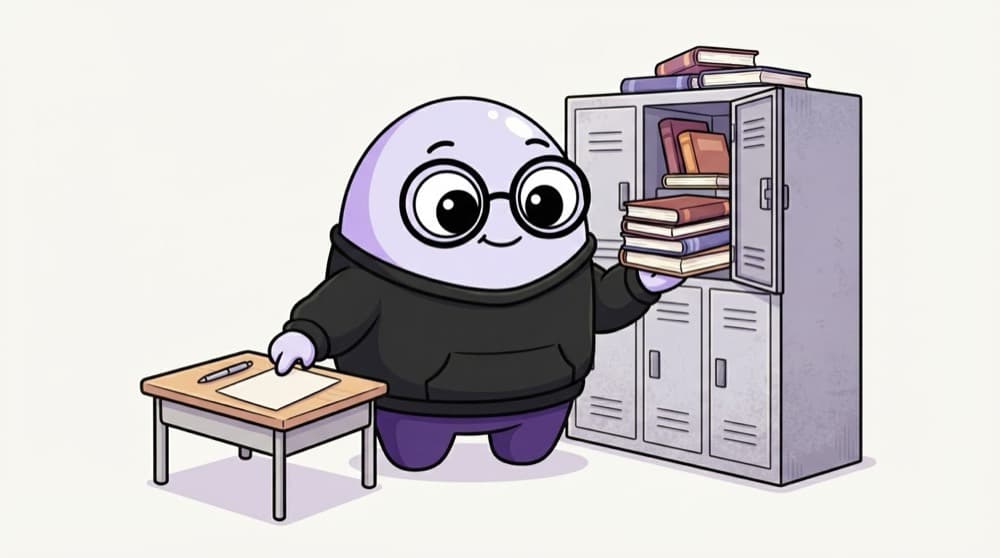
Hostel locker vs exam-hall desk
Your hostel locker keeps your stuff until you clear it. That's localStorage. The exam-hall desk is yours only for this one sitting, cleared when you leave. That's sessionStorage, which lasts only while that tab is open.
Watch it happen
localStorage or sessionStorage?
localStorage
- Stays after closing the browser
- Shared by all tabs of your site
- Great for theme and saved settings
sessionStorage
- Cleared when that tab closes
- Separate for each tab
- Great for one-visit form drafts
Both store strings per site, with the same setItem and getItem. Pick localStorage to remember things, sessionStorage for one tab only. Never store secrets in either.
The big ideas
What you need to know
Simple key-value pairs
setItem(key, value), getItem(key), removeItem(key). That's most of the API.
Strings only
Everything is saved as a string. Use JSON.stringify to save objects and JSON.parse to read them.
Per site, per browser
Data belongs to your site's origin on that browser. It doesn't sync to the user's phone.
Not for secrets
Any script on your page can read it. Don't store passwords or sensitive tokens here.
See it in code
Walk through the code
1// Save a setting2localStorage.setItem("theme", "dark");3 4// Save an object5const draft = { name: "Aman", course: "BCA" };6localStorage.setItem("formDraft", JSON.stringify(draft));7 8// Read it back safely9function readDraft() {10 try {11 return JSON.parse(localStorage.getItem("formDraft")) ?? {};12 } catch {13 return {};14 }15}1/4A simple string value goes in as it is.
getItem returns null for missing keys, and JSON.parse(null) is null, so ?? {} gives a safe default. try/catch handles corrupted data.
Save yourself the pain
Common mistakes
Oops
Saving an object directly and getting back "[object Object]".
Do this instead
Always JSON.stringify before saving and JSON.parse after reading.
Oops
Storing login tokens in localStorage without thinking.
Do this instead
Any injected script can read localStorage. For auth, prefer HttpOnly cookies that JavaScript can't touch.
Your mission
Remember the user's choice
Quick check
You save a value in sessionStorage, then open your site in a brand new tab. What do you find?
Go deeper
- 1Review the differences between localStorage and sessionStorage side by side. Validate your understanding by applying it in a small practical example.
- 2Build a small 'remember my preference' feature using Web Storage. Keep the first version small, then add one improvement after the core behavior works.
- 3Learn its limitations: string-only values, ~5-10MB limit, synchronous API.
More topics at this stop
 Fetch API
 Geolocation
 Clipboard
 Notifications
 Intersection Observer
 Mutation Observer
 Resize Observer
 History API
 File API
 Drag Drop
 WebSocket
 WebRTC basics

Stuck on this topic? Ask an Insider
Get 1:1 guidance from people who've walked this exact path — on the InsideEdge app.
