In short
Google Meet runs in your browser with no app install. That's WebRTC: video, audio and data sent directly between browsers, in real time.
Web Real-Time Communication — a browser API enabling peer-to-peer audio, video and data streaming directly between browsers, without routing through a server. WebRTC handles real-time media and data, but connection setup still requires signaling and often NAT traversal infrastructure such as STUN/TURN services.
Think of it like this
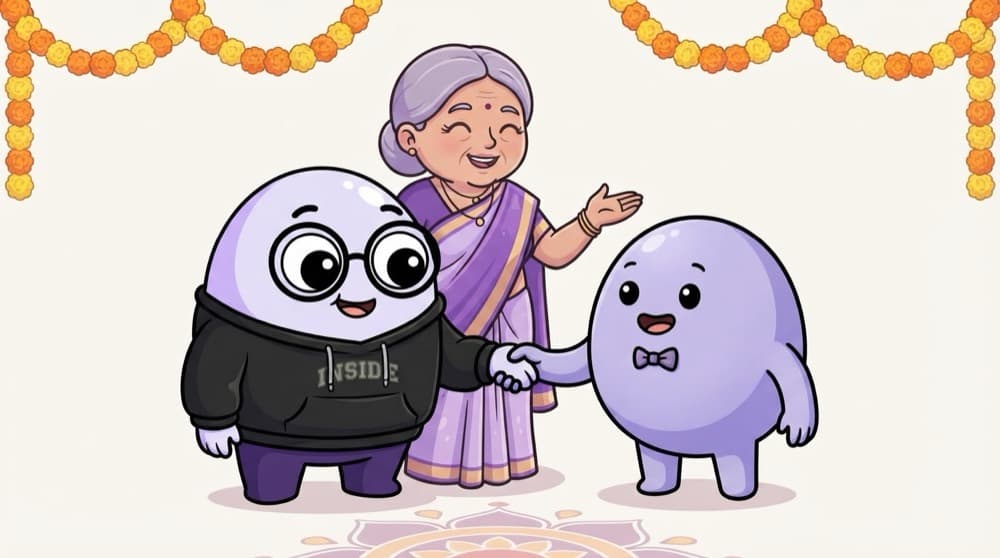
Getting introduced at a wedding
Two cousins don't know each other's numbers. An aunty introduces them and passes the numbers along. After that, they talk directly. In WebRTC, a signalling server is the aunty. Once connected, the video flows browser to browser.
Watch it happen
How a video call connects
1/6Asha allows camera and mic. This needs HTTPS and her permission.
The big ideas
What you need to know
getUserMedia first
navigator.mediaDevices.getUserMedia asks for camera and mic. It needs HTTPS and the user's permission.
RTCPeerConnection
This object connects two browsers and carries audio, video or plain data between them.
Signalling is your job
WebRTC doesn't say how peers find each other. You exchange connection details using your own server, often over WebSocket.
STUN and TURN servers
STUN helps peers find their public address. TURN relays traffic when a direct connection is blocked.
See it in code
Walk through the code
1startBtn.addEventListener("click", async () => {2 try {3 const stream = await navigator.mediaDevices.getUserMedia({4 video: true,5 audio: true,6 });7 localVideo.srcObject = stream; // <video autoplay muted playsinline>8 9 const pc = new RTCPeerConnection({10 iceServers: [{ urls: "stun:stun.l.google.com:19302" }],11 });12 stream.getTracks().forEach((track) => pc.addTrack(track, stream));13 } catch (err) {14 alert("Camera blocked or not found: " + err.name);15 }16});1/4Ask for camera and mic. The browser shows a permission popup and waits for the user.
This shows your own camera and prepares a connection. To call someone, you'd still send an offer and answer through a signalling server.
Save yourself the pain
Common mistakes
Oops
Thinking WebRTC connects two users by itself.
Do this instead
You need a signalling channel, like a WebSocket server, to exchange offers, answers and ICE candidates.
Oops
Forgetting to stop the camera when the call ends.
Do this instead
Call track.stop() on every track. Otherwise the camera light stays on and users get worried.
Your mission
Mirror, mirror
Quick check
Two browsers want to start a WebRTC call. How do they first exchange their connection details?
Go deeper
- 1Try a simple WebRTC demo to see a peer-to-peer video call work. Inspect the result in DevTools or the console and explain what you observed.
- 2Learn the three core pieces: MediaStream, RTCPeerConnection, RTCDataChannel. Focus on understanding the underlying reason it works, not only memorizing the definition.
- 3Understand why signaling servers are still needed even though media flows peer-to-peer.
More topics at this stop
 Fetch API
 Geolocation
 Clipboard
 Notifications
 Intersection Observer
 Mutation Observer
 Resize Observer
 History API
 Web Storage
 File API
 Drag Drop
 WebSocket

Stuck on this topic? Ask an Insider
Get 1:1 guidance from people who've walked this exact path — on the InsideEdge app.
