In short
Marks sheets, bank statements and sales exports usually arrive as CSV. Turning those lines into Java objects is one of the most common small tasks in real projects.
CSV files store table-like data as comma-separated lines. You can read them with Files.readAllLines or a BufferedReader, split each line into fields, and convert them into objects, handling headers and bad rows.
Think of it like this
Cutting the attendance register
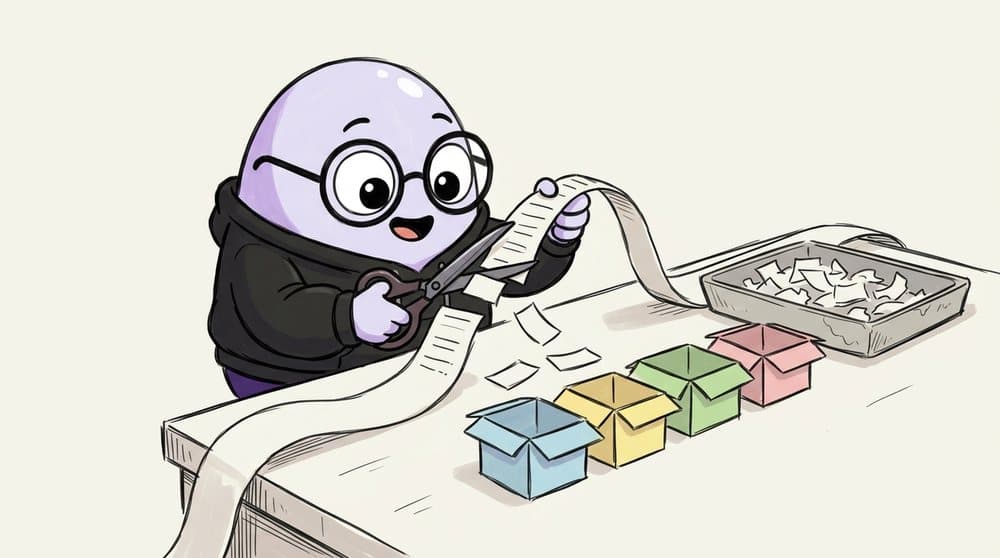
Picture a long attendance register where each row reads roll number, name, city, marks, separated by commas. You take scissors and snip each row at every comma, then file each piece in the right box. The first row is just the headings, so you set it aside. Any torn or smudged row goes in a reject tray instead of spoiling the rest.
Watch it happen
Splitting one CSV line into fields
1/4The line "S101, Priya Nair, Kochi, 87" after line.split(",") becomes four strings.
The big ideas
What you need to know
Skip the header
The first line usually holds column names. Skip it, or read it to find which column is which.
split and trim
line.split(",", -1) keeps empty trailing fields. Trim each field before using it.
Handle bad rows
Check the field count and catch NumberFormatException. Count or log bad rows instead of crashing on row 5,000.
Know the limits
Simple splitting breaks when a value itself has a comma inside quotes, like "Sharma, Ravi". Real projects use a library such as OpenCSV or Apache Commons CSV.
How it works
CSV to objects
- 1
Read lines
Load the file with Files.readAllLines.
- 2
Skip header
Ignore the first line of column names.
- 3
Split and clean
Split each line on commas and trim every field.
- 4
Validate
Check the field count and parse numbers inside try.
- 5
Build objects
Create a record per good row; count the bad ones.
See it in code
Walk through the code
1import java.io.IOException;2import java.nio.file.Files;3import java.nio.file.Path;4import java.util.ArrayList;5import java.util.List;6 7public class MarksImporter {8 9 record Student(String roll, String name, String city, int marks) {}10 11 public static void main(String[] args) throws IOException {12 List<String> lines = Files.readAllLines(Path.of("marks.csv"));13 if (lines.isEmpty()) return;14 List<Student> students = new ArrayList<>();15 int skipped = 0;16 17 for (String line : lines.subList(1, lines.size())) {18 String[] f = line.split(",", -1);19 if (f.length != 4) { skipped++; continue; }20 try {21 students.add(new Student(f[0].trim(), f[1].trim(),22 f[2].trim(), Integer.parseInt(f[3].trim())));23 } catch (NumberFormatException e) {24 skipped++;25 }26 }27 System.out.println("Loaded " + students.size() + ", skipped " + skipped);28 29 List<String> out = new ArrayList<>(List.of("roll,name,city,marks"));30 for (Student s : students) {31 if (s.marks() >= 40) {32 out.add(String.join(",", s.roll(), s.name(), s.city(), String.valueOf(s.marks())));33 }34 }35 Files.write(Path.of("passed.csv"), out);36 }37}1/4A record is a neat container for one row: roll, name, city and marks.
Reads marks.csv, turns good rows into Student records, skips bad ones, and writes students with 40 or more marks to passed.csv.
Save yourself the pain
Common mistakes
Oops
Parsing the header row as data and crashing on Integer.parseInt("marks").
Do this instead
Skip the first line, or check it matches the expected column names before reading data.
Oops
Letting one bad row throw and stop the whole import.
Do this instead
Catch the error per row, count or log it, and continue with the rest.
Oops
Splitting on commas when values can contain commas in quotes.
Do this instead
For messy real-world CSV, use a parser library such as OpenCSV or Apache Commons CSV.
Your mission
Monthly expense summary
Quick check
What does "a,b,,".split(",") return, compared to "a,b,,".split(",", -1)?
Go deeper
- 1Read a students.csv file into a List of Student records.
- 2Skip the header row and report rows with missing or invalid values.
- 3Write a filtered list back to a new CSV file.
More topics at this stop
 Checked vs Unchecked Exceptions
 Try-Catch-Finally
 Try-with-Resources
 throw vs throws
 Custom Exceptions
 Reading & Writing Files (java.nio.file)
 Serialization Basics

Stuck on this topic? Ask an Insider
Get 1:1 guidance from people who've walked this exact path — on the InsideEdge app.
