In short
Serialization turns a live Java object into bytes you can save or send, then rebuild later. You will mostly meet it in older code, so it is worth knowing how it works and why newer apps use JSON instead.
Java serialization converts objects to bytes using Serializable and ObjectOutputStream. It is mostly found in legacy code; modern apps usually store data as JSON with libraries like Jackson.
Think of it like this
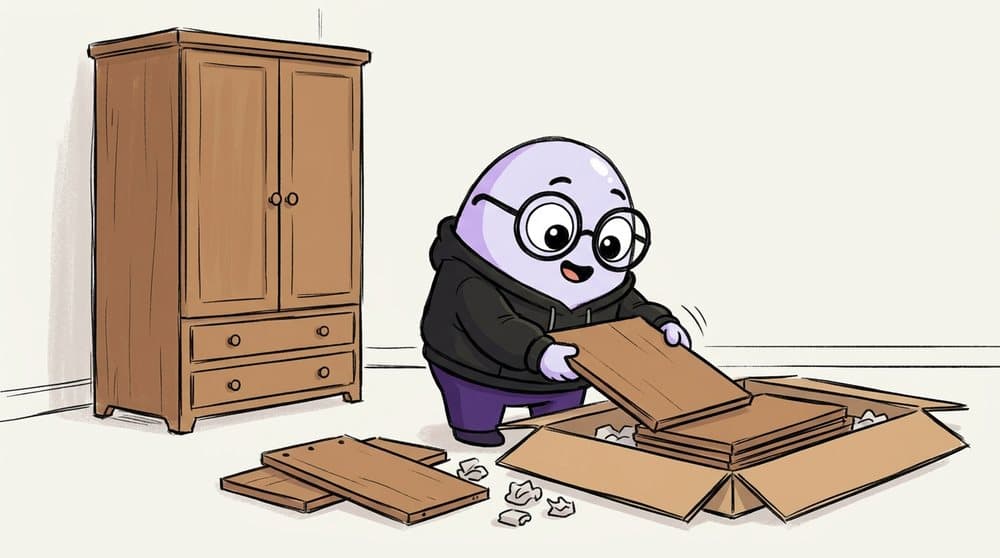
Shipping flat-pack furniture
A furniture shop in Bengaluru can't post an assembled wardrobe to Delhi. So it takes the wardrobe apart into flat boards, packs them in a box with instructions, and ships them. In Delhi, the boards are put back together into the same wardrobe. The free cushion on top (a transient field) is left behind in the shop.
Watch it happen
An object's round trip
1/5A Player with name Arjun, level 7 and a session token lives in memory.
The big ideas
What you need to know
Serializable is a marker
implements Serializable has no methods. It just tells Java the class is allowed to be serialized.
transient fields are skipped
Mark passwords, tokens or caches transient. After reading back, they are null, 0 or false.
serialVersionUID
Declare private static final long serialVersionUID = 1L; so old saved files still load after small class changes.
Prefer JSON today
Native serialization is fragile and reading untrusted bytes is a known security risk. Modern apps usually store data as JSON with Jackson or Gson.
See it in code
Walk through the code
1import java.io.FileInputStream;2import java.io.FileOutputStream;3import java.io.IOException;4import java.io.ObjectInputStream;5import java.io.ObjectOutputStream;6import java.io.Serial;7import java.io.Serializable;8 9public class SaveGame {10 11 static class Player implements Serializable {12 @Serial13 private static final long serialVersionUID = 1L;14 String name;15 int level;16 transient String sessionToken;17 18 Player(String name, int level, String sessionToken) {19 this.name = name;20 this.level = level;21 this.sessionToken = sessionToken;22 }23 }24 25 public static void main(String[] args) throws IOException, ClassNotFoundException {26 Player p = new Player("Arjun", 7, "abc123");27 28 try (var out = new ObjectOutputStream(new FileOutputStream("player.ser"))) {29 out.writeObject(p);30 }31 32 try (var in = new ObjectInputStream(new FileInputStream("player.ser"))) {33 Player loaded = (Player) in.readObject();34 System.out.println(loaded.name + " level " + loaded.level35 + ", token = " + loaded.sessionToken);36 }37 }38}1/4Serializable marks the class. @Serial (Java 14+) tells the compiler this field is part of serialization.
Saves a game player to player.ser and loads it back. Output: Arjun level 7, token = null.
Save yourself the pain
Common mistakes
Oops
Serializing a class whose field type is not Serializable.
Do this instead
Every non-transient field must also be Serializable, or writeObject throws NotSerializableException.
Oops
Calling readObject on bytes received from users or the internet.
Do this instead
Never deserialize untrusted data. Use JSON with a library like Jackson and validate the input.
Oops
Leaving out serialVersionUID and then adding a field.
Do this instead
Declare it yourself. Otherwise Java computes one, it changes, and old files fail with InvalidClassException.
Your mission
Save and load a cart
Quick check
After deserializing, what is the value of a transient String field?
Go deeper
- 1Serialise and deserialise a simple object to a file.
- 2Learn what serialVersionUID and the transient keyword do.
- 3Read why Java's built-in serialization has security risks with untrusted data.
More topics at this stop
 Checked vs Unchecked Exceptions
 Try-Catch-Finally
 Try-with-Resources
 throw vs throws
 Custom Exceptions
 Reading & Writing Files (java.nio.file)
 Working with CSV Files

Stuck on this topic? Ask an Insider
Get 1:1 guidance from people who've walked this exact path — on the InsideEdge app.
