In short
A 7-billion-parameter model in 16-bit needs about 14 GB just for its weights. Quantised to 4-bit, it's closer to 4 GB and runs on a laptop. Quantization is how big models fit on small hardware.
Reducing the numerical precision of model weights (e.g. FP16 → INT8/INT4) to shrink memory footprint and speed up inference, with a small accuracy trade-off.

Think of it like this
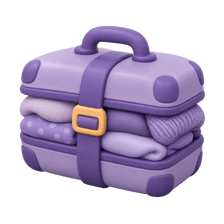
Vacuum-packing for a trip
Your whole wardrobe won't fit in a cabin bag. Vacuum bags squeeze the air out, and suddenly it fits. Clothes come out a bit creased, but still wearable. Quantization squeezes model weights into fewer bits. A little quality is lost, a lot of space is saved.
Watch it happen
Rounding weights to fewer levels
1/5Six weights stored in 16-bit floating point. Each takes 2 bytes.
The big ideas
What you need to know
Bytes per weight
16-bit is 2 bytes, 8-bit is 1 byte, 4-bit is half a byte. Multiply by parameter count for a rough memory estimate.
Quality drops a little
8-bit is usually close to the original. 4-bit loses a bit more. Below that, quality often falls off quickly.
Common formats
GGUF for llama.cpp and Ollama, GPTQ and AWQ for GPU serving, bitsandbytes for training with QLoRA.
Faster too, sometimes
Less memory to move often means faster generation, though it depends on hardware and kernels.
See it in code
Walk through the code
1def weight_gb(params_billion: float, bits: int) -> float:2 return params_billion * 1e9 * bits / 8 / 1e93 4for bits in (16, 8, 4):5 print(f"7B model at {bits}-bit: ~{weight_gb(7, bits):.1f} GB")6 7# 7B model at 16-bit: ~14.0 GB8# 7B model at 8-bit: ~7.0 GB9# 7B model at 4-bit: ~3.5 GB10# Real usage is higher: add memory for activations and the KV cache.1/3Parameters times bits, divided by 8 for bytes, then by a billion for GB.
Quick memory maths for model weights. Always leave headroom for the context cache during generation.
Save yourself the pain
Common mistakes
Oops
Choosing a model only by whether its weights fit in memory.
Do this instead
Add room for the KV cache and activations, especially with long prompts or many users at once.
Oops
Assuming a 4-bit model behaves identically to the original.
Do this instead
Test on your own tasks. Maths, code and rare languages can degrade more than chat does.
Your mission
Compare two quantisations
Quick check
Roughly how much memory do the weights of a 13B model need at 4-bit?
Go deeper
- 1Quantize a model with a library like `bitsandbytes` and measure the memory savings.
- 2Compare output quality before and after quantization on the same prompts.
- 3Learn the difference between post-training quantization and quantization-aware training.
More topics at this stop
 Full Fine-Tuning vs PEFT
 LoRA & QLoRA
 Instruction Tuning
 RLHF (Overview)
 DPO (Overview)
 Dataset Preparation for Fine-Tuning
 Model Distillation
 Evaluating Fine-Tuned Models

Stuck on this topic? Ask an Insider
Get 1:1 guidance from people who've walked this exact path — on the InsideEdge app.
